

Choosing the right website designing company in Chennai is about more than comparing prices. A good agency should understand your business, create a user-friendly and mobile-ready website, build a strong SEO foundation, and design clear paths that turn visitors into enquiries or customers. Before hiring an agency, check five things: Business understanding: Do they understand your customers and goals? Experience: Can they show relevant websites and real case studies? SEO & technology: Is the website built for performance, search visibility, and future growth? UX & conversions: Can visitors easily find information and take action? Transparency: Are pricing, ownership, revisions, maintenance, and post-launch support clearly explained? Before Choosing any Website Designing Company in Chennai, Let’s clear up one small misunderstanding first. When someone says, “I need a website” typically looks like this. A nice homepage. A logo at the top. A “Contact Us” button. May be an icon of WhatsApp trying its absolute best at looking like it matters. Then the website goes live. This is why Choosing a Right web development company is Important and Hattrick Web Works will not only create a bunch of aesthetic pages for you. It is meant to help you build a website that works for your business, your customers, and your future marketing efforts. Table of Content Why Hattrick Web Works Is a Trusted Web Development Company in Chennai? What Does a Website Designing Company Actually Provide? From Design to Development : How Website Development Works The Actual Difference Between UI and UX Responsive and Mobile-First Design: Designing for Real Users CMS Implementation: Making Your Website Easier to Manage E-Commerce Development: Building Websites That Sell Website Maintenance: Keeping the Website Healthy After Launch Technical SEO: Helping Search Engines Understand the Website Design for Your Customers, Not Just Your Location Make Your Service Areas Clear to Local Customers Turn Google Searches Into Website Visits Make It Easy for Local Customers to Contact You on Mobile One Website Strategy Doesn’t Fit Every Chennai Business How Much Does Website Design Cost in Chennai? Why Do Website Quotes Vary So Much Between Agencies? Don’t Compare Website Quotes, Compare What You Get Calculate Your Website Cost With Hattrick’s Website Cost Calculator Build the Right Development Foundation From the Start Frequently Asked Questions Why Hattrick Web Works Is a Trusted Web Development Company in Chennai? Hattrick Web Works has spent 4+ years building websites for Chennai businesses and holds a 4.8-star average client rating on Google. To understand more about our approach, team and experience, you can learn more about Hattrick Web Works and how we approach website development, SEO and digital growth. We partner with each client throughout the process, from consultation to post-launch support. We create websites that are not based on internet templates, but instead represent the business’s unique brand services and goals. We have collaborated with businesses from various industries, such as fashion, fitness, photography and other service-based businesses. This experience gives us the ability to build websites that fit every kind of company while not taking cookie cutter approach for each project. Our clients also recognize our transparency and regular updates too, as well as the support they receive post-launch. From new websites, to website redesigns, through simple maintenance contracts. We develop a solutions focused responsive site designed to give your business the modern look that attracts customers and scales online. What Does a Website Designing Company Actually Provide? Web design is the part most people notice first. It includes the layout, colours, fonts, images, navigation, buttons, and overall look of the website. But good design is not only about making a website look modern. The designer should first understand: Who will use the website What information visitors need What action the business wants visitors to take Which pages are most important How users will move from one page to another From Design to Development : How Website Development Works Developers construct whatever necessary for the website to operate, which include pages, navigation, forms, integrations and databases. It is also where technical decisions start to make a difference. An adorable website but bad back-end development will just ruin the whole thing. User experience can be hampered by slow pages, broken forms and poor mobile behaviour along with secure problems as well as difficult maintenance. When picking Website designing company in Chennai, ask what happens behind the visual design. An experienced company should be able to describe the technology being employed, why it’s used and how it serves your business. This is why choosing the right website development services matters. The technology behind your website affects its speed, security, mobile experience and ability to grow as your business grows. Website development handles the parts that make the website actually work: Contact forms Menus Search Login systems Payment features Databases Integrations Dynamic content Security Website speed Tracking and analytics This is also why two websites that look almost identical can have very different prices. One may be a simple template with basic features. Another may have custom development, integrations, better performance, stronger security, and a structure designed for future growth. The Actual Difference Between UI and UX You hear agencies using terms like UI/UX Like some sort of secret access code. It isn’t. UI (User Interface)- is what people see and interact with. UX (User Experience) is how simple and logical that interaction seems. The difference is simple: UI also ease to interact a website. The UX is what makes it easier to grasp and complete the whole journey. Consider a scenario where an outsider looks for something on your site. Just because every page looks nice, if they have to click through five different confusing pages before finding the enquiry form then there is a UX problem with their website. A strong agency considers both. It defines the user’s journey initially and before designing other pages. Responsive and Mobile-First Design: Designing for Real Users Your website may look fantastic on your designer’s large monitor. Wonderful. Now open it on a phone. Suddenly the text is tiny, the menu is hiding, the buttons are fighting for space, and the contact
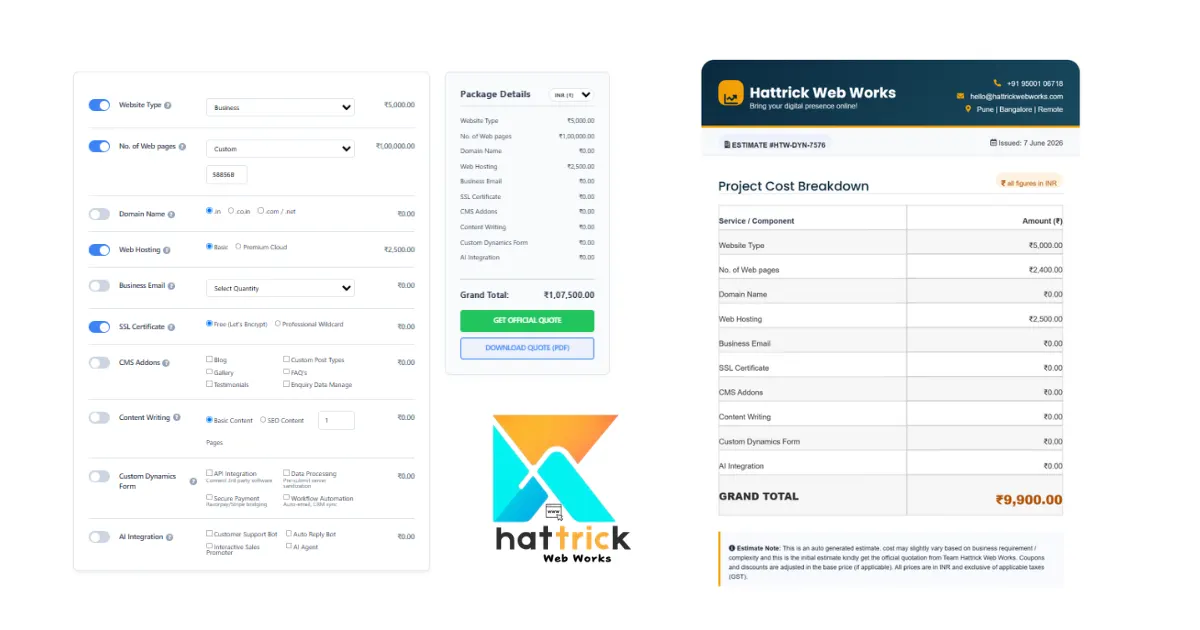
Website Price Calculator: Estimate Your Website Cost Before You Request Quotes
Hattrick Web Works website price calculator gives you a practical estimate of what your website could cost based on your actual requirements, not a one-size-fits-all price. Whether you’re building a business website, an online store, or a custom platform, factors like design, features, functionality, SEO, and ongoing maintenance all influence the final budget. Using a website cost calculator helps you understand where your money goes, while knowing what affects website design price makes it easier to compare quotes, avoid hidden costs, and choose a solution that delivers real long-term value for your business. Have you ever asked “How much does a website cost?” you might have come across some responses of ₹10k to even more than ₹10 lakh. Such a wide price range leaves us wondering what should our project cost you actually. A website price calculator can provide you with a more accurate estimate based on the specific requirements of your site, rather than just random prices or one-size-fits-all estimates. Based on things like pages, complexity of design required and features or integrations you want for your business goals it helps to arrive at a realistic starting point. But here’s something many pricing guides don’t explain: Your website is not a product with a price tag: it combines design, development, technology, strategy and long-term business objectives. And this is the reason why two similar-looking sites can have completely different development costs. For Example: A simple portfolio website may only need a few pages and basic functionality. A local business website might require SEO optimization, lead generation forms, and booking features. An eCommerce store needs product management, payment gateways, inventory systems, and stronger security. A custom business platform may require user accounts, dashboards, APIs, and advanced integrations. Although each of these is called a “website,” the amount of work behind them is very different. Click to Estimate your budget before spending too much Hence This is the reason behind us building out our Website Price calculator on Hattrick. It estimates your project based on the features and functionality that you actually need rather than showing a one-price-fits-all. This provides you a real budget scope to work with before requesting detailed quotes from development agencies. As a startup founder, small business owner, marketer, freelancer or enterprise decision maker – this guide will not only help you price websites but also understand how to calculate website prices and why those costs vary so that you can make your best investment decisions. Get an instant price in our Website Price Calculator, then read below to learn about how professional agencies calculate website prices, what impacts your budget and you can avoid paying for features that might not be necessary. Table of Content Why Website Prices Are So Different Why Does One Website Cost ₹15,000 vs ₹5,00,000? A Website Is More Than Just Pages on a Screen The Biggest Pricing Factor Isn’t Design — It’s Complexity What Is a Website Price Calculator? The Factors That Really Drive Your Estimate How Accurate Is a Website Price Calculator? Core Price Factors for Website Calculation Complexity of Design and Page Numbers Features and Functionality Content, SEO, and Ongoing Maintenance Cost Ranges by Business Type in India Cost Table: Small Business, Ecommerce, SaaS & Enterprise Why Do Different Calculators Give Different Estimates? Hidden Costs Most Calculators Miss Recurring Costs After Launch Red Flags: How to Avoid Paying Too Much Is a Cheap Website Worth It? Connecting Cost to ROI What the Website Cost Calculator Does Not Tell You When Should You Ask for a Custom Quote? Conclusion Frequently Asked Questions Why Website Prices Are So Different Website prices vary because they depend on factors like design complexity, number of pages, custom features, e-commerce functionality, SEO, content creation, integrations, and ongoing maintenance. A basic website costs much less than a fully customized business website with advanced functionality and long-term support. Why Does One Website Cost ₹15,000 While Another Costs ₹5,00,000? If you have asked for quotes from various web design agencies, then you’ll find something unexpected: A Same project can be priced completely differently by the same vendor. eg:Imagine that You ask three agencies with a brief of your business website requirements. Agency Quote Agency A ₹20000 Agency B ₹88000 Agency C ₹124000 This makes little sense at first glance. They are all in the business of building a website, so why such widely varying rates? The answer is simple: Instead, you are not only paying for a website. You’ve put in money for literally everything that goes into planning, designing, building, testing and maintaining it. Think about buying a house. For example, two houses with three bedrooms: one of which is much more expensive due to the location it was built in, its quality materials, safety features, and Long-term Value. Websites work the same way. Two websites may look similar on the surface, but behind the scenes they can be built very differently. A Website Is More Than Just Pages on a Screen Many people think a website is simply a collection of pages with text and images. In reality, a modern website is a combination of multiple services working together. A professional website often includes: User experience (UX) planning Custom interface (UI) design Frontend development Backend development Mobile responsiveness Search engine optimization (SEO) Performance optimization Security measures Contact forms and lead capture Third-party integrations Analytics setup Ongoing maintenance Each additional requirement will require more planning, designing, developing and testing/quality assurance. This is the reason why similar-looking websites can have completely different costs of development. The Biggest Pricing Factor Isn’t Design – It’s Complexity People think that cost of a website design price is based on Number of Pages. Yes That too Correct. But Number of pages only is not a Actual answer for that Question It’s Completely based on how the page was build-up, What are the Factors(Features, Limitations, what do it, What to add). The biggest myth is that a beautiful design makes the website expensive. In real life, complexity tends to influence pricing far more than aesthetics.
WordPress Security Checklist For 2026: Protect Your Website In Just 27 Steps
TL;DR: Secure your WordPress site by focusing on what matters most: keep WordPress and plugins updated, use strong passwords with 2FA, choose secure hosting, enable backups, and add a trusted security plugin. This 27-step WordPress Security Checklist prioritizes the highest-impact actions, explains common vulnerabilities, compares top security plugins, and outlines ongoing maintenance to protect your website in 2026 Thousands of WordPress websites get attacked every day, but they are not targeted by human hackers individually. Automated bots scour the internet for out-of-date plugins, weak passwords and unsecured login pages – as well as many other common vulnerabilities. Your site may match a template, and within minutes you can be the victim of an attack. The encouraging part is that most successful attacks exploit issues that are relatively easy to fix. Following a structured WordPress Security Checklist helps you address these weaknesses before attackers can take advantage of them. Most compromises don’t originate from advanced hackers attempting targeted attacks against you. They spring easily from common and avoidable issues: an un-updated plug-in, a reused password, a never-hearded hosting environment. WordPress core itself is pretty secure – The real risk almost always lies in extensions, server configuration and maintenance habits that fall once a site goes live. This is not a typical “update your plugins” type list. It is a prioritized wordpress security checklist, in the order which each step actually reduces risks. Table of Content Is WordPress Secure? What Most People Get Wrong Myth vs Reality How WordPress sites actually get hacked This Case Studies Proves WordPress core still Secured The Ultimate WordPress Security Checklist Level 1 – Critical (Fix Today) Level 2 – High Priority Level 3 – Advanced Common WordPress Security Risks and How to Prevent Them Risk Assessment and Prevention Measures Best WordPress Security Plugins Compared How to Choose the Right WordPress Security Plugin Match Your Security Plugin to Your Needs WordPress Security Best Practices Beyond the Checklist 15 WordPress Security Tips Most Blogs Never Mention WordPress Security Checklist: Maintenance Some WordPress Security Mistakes If You Only Do Five Things Today (Do This) Conclusion Frequently Asked Question Is WordPress Secure? Over the years, WordPress has come to power nearly 50% of all on-line sites. That is the exact scale that draws so much attention from attackers. automated scanning tools target the platform because success at scale makes economic sense for whoever is running them, not because the software is inherently weak. What Most People Get Wrong It distinguishes these two things that get mixed up all the time: WordPress core Security: Everything built on top of it. A dedicated security team maintains Core, with a fast and disciplined patch cycle Plugins and Themes: The situation is different for plugins and themes – Anyone can publish one, the review process that checks new submissions just check policy compliance without performing a more extensive security audit That difference is one of the most useful things to Understand before you ever go near any checklist. Myth vs Reality Popularity isn’t insecurity. A properly maintained wordpress website, which is continually updated and hosted only on the best WordPress servers for business websites gives a decent head start in terms of security. The danger is when maintenance does not happen. If you’re starting a new site rather than hardening an existing one, it’s a good idea to get the foundations correct from day 1. our guide on how to start a WordPress website properly will help you with set up choices that make security simple later and not harder. Once your site is up and running, following a WordPress Security Checklist makes it much easier to maintain that strong security foundation over time. Myth Reality WordPress is insecure Poor maintenance is the bigger risk, not the platform Paid hosting makes you secure Hosting helps. It doesn’t eliminate risk on its own Security plugins solve everything Security is Layered, One Install isn’t a solution How WordPress sites actually get hacked The majority of WordPress security advice available simply tells you what to do without really getting into the actual reason why they matter. Once you see the actual attack path, every item below stops feeling arbitrary. Automated bot↓ Scans your website↓ Finds an outdated plugin↓ Matches it to a known vulnerability↓ Attempts the exploit↓ Uploads malware↓ Creates a hidden admin account↓ Injects spam content↓ Google flags the site↓ Traffic drops This Case Studies Proves WordPress core still Secured People’s after realising attacker-journey assumes, this the standard route, and more common than many site owners think. According to Patchstack’s 2026 whitepaper, the weighted median time from a vulnerability being disclosed until it was first exploited at 5 hours. In 2025, plugins still were the origin of 91% of new vulnerabilities and not WordPress core. So the gap between “a vulnerability exists” and “bots are exploiting it” is often shorter than a workday. An outdated plugin gets caught in a scan that’s already running, long before any hacker notices you specifically. Once a compromised site starts serving spam or malicious redirects, Google’s Safe Browsing system flags it, and browsers start warning visitors away. That’s when a technical problem turns into a revenue problem. Restoring lost rankings takes a significant amount of time and it is one of the many reasons our work with SEO services typically begins by untangling precisely this kind of mess. Each item in the WordPress security checklist below breaks this chain at some point, whether it be before your bot sees an opening, before the exploit lands. The Ultimate WordPress Security Checklist Use this WordPress Security Checklist to prioritize the most important security tasks based on their impact. The checklist is organized into three levels Critical High Priority Advanced so you can secure your WordPress site step by step, starting with the fixes that reduce the biggest risks. Level 1 – Critical (Fix Today) These 10 actions cover the most common causes of WordPress compromises. Do them before anything else on this list. 1. Update WordPress Core: Why it Matters:
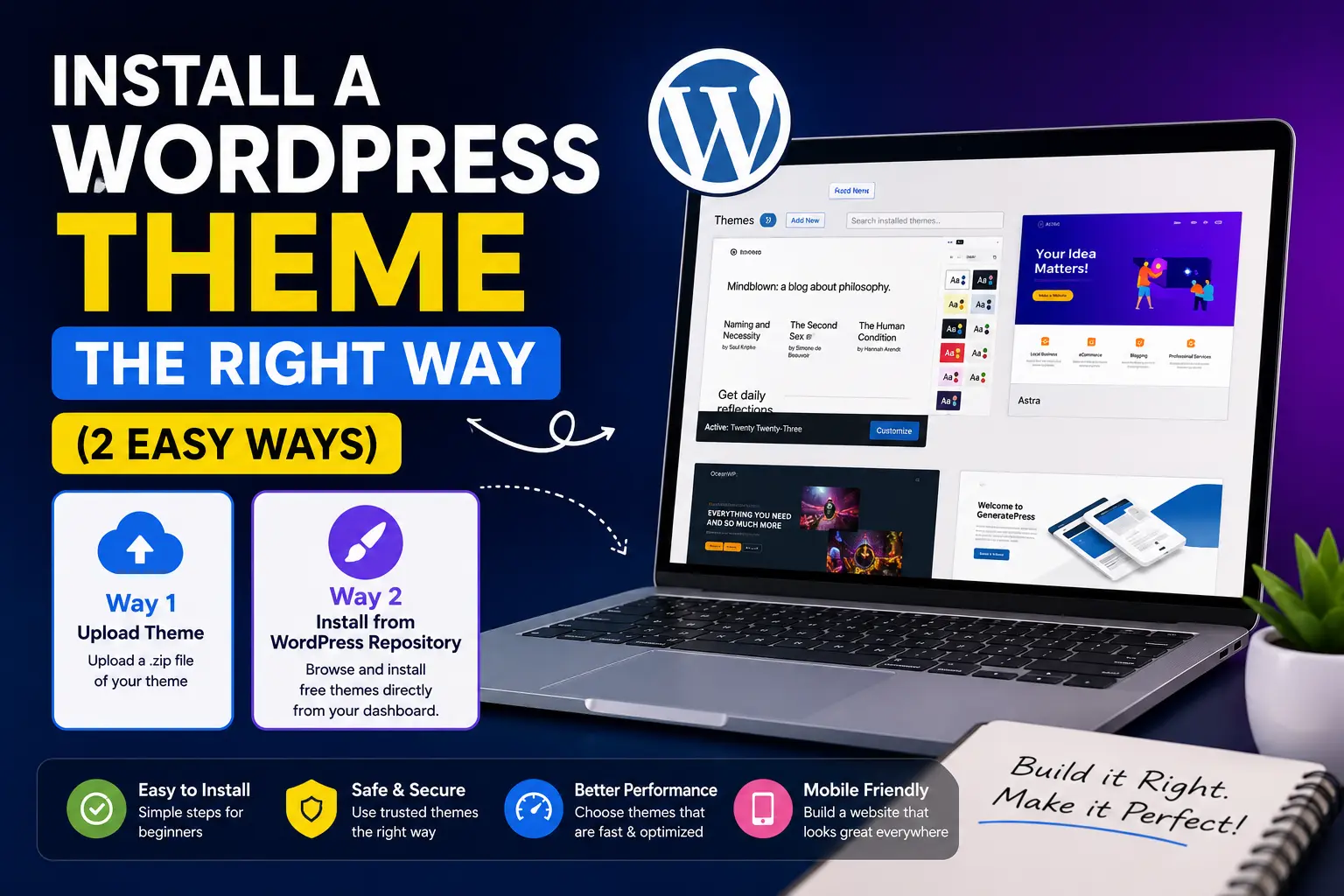
Install a WordPress Theme the Right Way: Avoid These Common Setup Mistakes
TL;DR: To install a WordPress theme, choose the method that matches your theme type. Free themes can be installed directly from the WordPress dashboard, premium themes are uploaded as ZIP files, and FTP should only be used when standard installation methods fail. This guide explains how to install a WordPress theme correctly, avoid common mistakes, and complete the essential setup after activation. WordPress theme installation process is less than a minute. However, keeping your website speedy, safe and simple to maintain moving forward is a different equation. That gap disrupts more site owners than any other part of the WordPress set up. You click install, you click activate and the design changes in an second. This guide takes out Step by Step Procedure for Install a WordPress Theme ;You’ll get 2 Easy Methods that saves your time Efficiently, Not Blabb or fluff – Just what you Need to do. At the End, You will learn the default install methods and when to use each one, the checklist that professionals go through before ever clicking Install, what mistakes result in the most support tickets, and best practices that prevent a WordPress theme installation from becoming a maintenance headache 6 months later. In case you are still in the process of setting up WordPress itself, check out our post on how to launch a WordPress blog website for that covers step one to six as a complete Beginners Guide. Table of Content What Is a WordPress Theme and Why It Matters Why Do You Need To Install A WordPress Theme? Before Installing: The Professional Checklist Method 1: Install a WordPress theme from the Directory Method 2: Install WordPress theme from a ZIP file What Happens When You Install a WordPress Theme? The Biggest Mistakes People Make Should You Use a Child Theme? What to Do After You Install a WordPress Theme Troubleshooting Common Problems Security Best Practices Conclusion Frequently Asked Questions What Is a WordPress Theme and Why It Matters WordPress theme layers is design and layout of your site – what fonts you use, the colours that appear on your page structure or menus without interfering with content. Themes in the free section install directly from your dashboard, but premium themes that are often a ZIP file you manually upload. Depending on which type you have, each one of the methods below will apply to you. Why Do You Need To Install A WordPress Theme? Hitting Install does more than that, it changes colors. What WordPress does is it copies a folder of files into wp-content/themes/ on your server, and then reads that folder to know how your site renders. A theme folder typically contains: Template files(PHP): used to control the layout on your homepage, posts, archives and other types of pages. A stylesheet (style. css): determines colors, fonts and spacing as well all the necessary information about your them; JavaScript files: The control or actions of animations, sliders and interactivity. Functions: The function registerNave also is the hook that registers menus, widget areas and theme-specific features. Theme options settings: stored in your WordPress database, not the theme folder itself. This is the part most guides leave out: installing a theme doesn’t change WordPress or your content. It changes how that content looks when presented by WordPress. Your data, posts, pages and media remain the same in your database; only layer of presentation is changed. It is also partly the reason why a theme switch does almost never delete anything, although in order to make it work correctly and not break your layout you will have these checks. Before Installing: The Professional Checklist Most tutorials skip over the Most. Here’s what to check first: Back up your website – Must use an up to date full backup (files + database) before applying any switch in theme, restoring is instant if something goes wrong. Check your PHP version – Most modern themes need you to have PHP 7.4 or greater, head over under Tools > Site Health for further info on your specific needs! Verify your WordPress version – But older installs can interfere with the capabilities of a new theme. Check plugin compatibility – Check whether the plugin that a theme needs or is conflicting with already has its own documentation. Read the documentation – A good reading pays off with hours of guessing error saved after installation. Download only from trusted sources – Stick to WordPress, Organized marketplaces or the developer directly. Test on staging when possible – A staging site allows you to identify issues before your real live visitors do. Method 1: Install a WordPress theme from the Directory Here’s how you add a totally free WordPress theme, builtin to your dashboard. Navigate to Appearance → Themes Then Press Add New 3. Search by name, or filter by layout, industry, or feature. 4. Click Preview to see it applied to your content or Install if you want to add it. 5. Click Activate once installation finishes. When to use it: whenever you want a theme and there are thousands of free themes available in the official directory. Pros: no file management, all themes are manually checked for security and code quality on submission, updates push automatically. Cons: free themes have less design flexibility and support than premium ones, plus popular ones can look generic without a unique touch Your website is often the first impression people have of your business. Let’s make sure it’s one that loads fast, ranks well, and turns visitors into customers. Build it right from day one with Hattrick Web Works. Method 2: Install wordpress theme from zip Premium themes like ones you can get from ThemeForest or from Somewhere. Download the theme as Zip file. Don’t unzip it yet. Right under Appearance > Themes > Add New pop on Upload Theme. 3. Next Click ChooseFile → and Pick the ZIP 4. Click Install Now, then Activate. That’s It You have Successfully Installed wordpress Theme from Zip File. Common error: “The package could
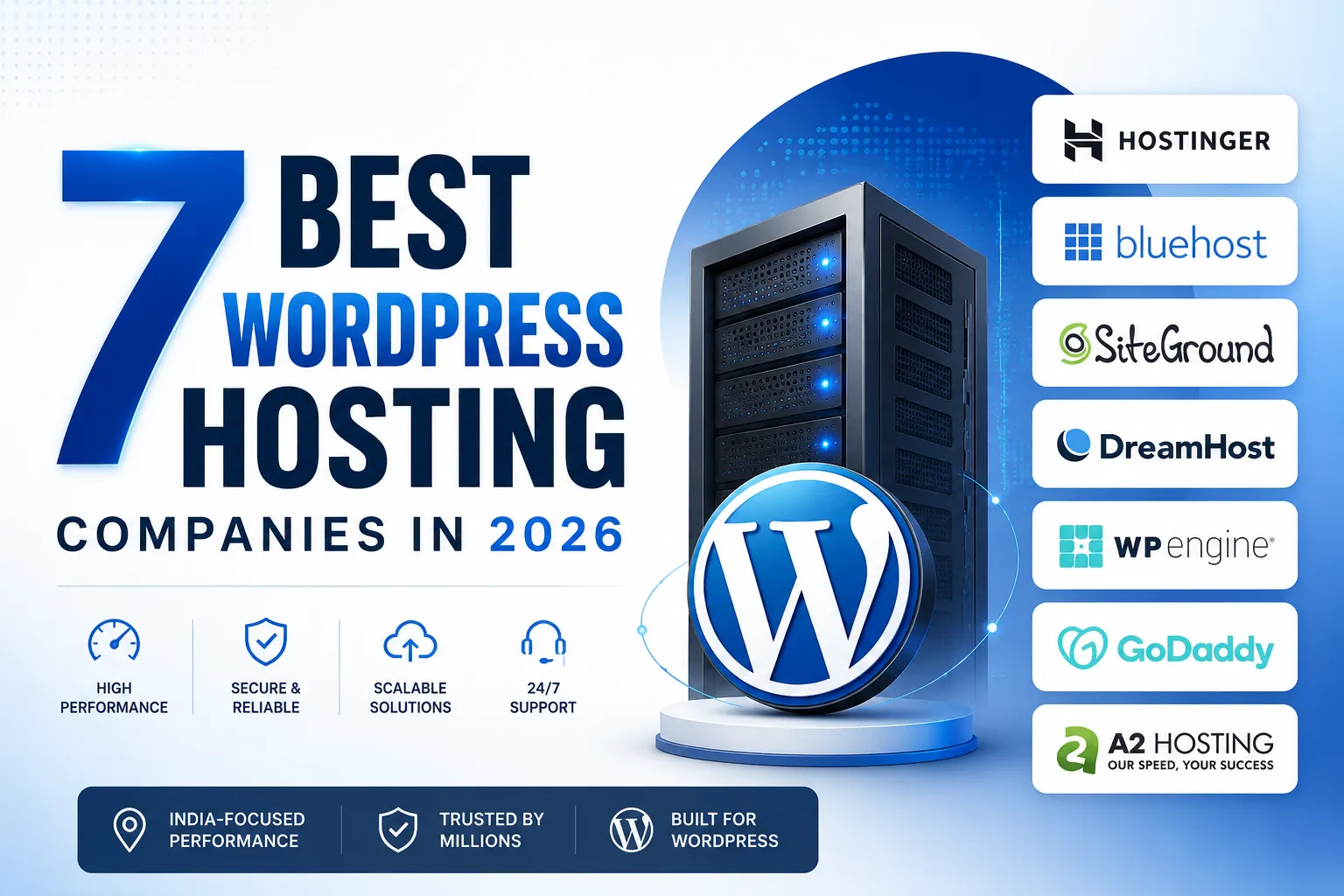
7 Best WordPress Hosting Company for Beginners in 2026
TL;DR: From The 7 best WordPress hosting company in 2026 Provides you a Complete Guide on Each Provider. Hostinger is the top choice for beginners for its affordable pricing, India-based servers, free SSL, and beginner-friendly dashboard. For starters, Bluehost is the best Option – WordPress.org officialy recommended this. DreamHost Perfect for multiple websites, while Cloudways is ideal for WordPress/WooCommerce stores + growing businesses that require scalable cloud infrastructure powered by DigitalOcean, AWS or Google Cloud. For premium managed WordPress hosting, SiteGround, Kinsta, and WP Engine deliver advanced security, automatic backups, superior performance, and expert support. Before you make a decision about which provider to go with, consider comparing the following server location and uptime as well as renewal pricing, performance scalability along with managed hosting features so your website will load faster have better SEO for long-term growth. There are hundreds of web hosting options for WordPress, and choosing wrong locks you into an expensive mistake for years. So I spent weeks testing the 40 biggest hosting providers to find the best WordPress Hosting Company. Most were awful, but only Seven stood out as the most popular and Preferable options for WordPress. This guide compares every major WordPress Hosting Company based on speed, uptime, pricing, support, server location, scalability, and long-term value for Indian website owners. At the End of this Comprehensive Guide of finding the best WordPress Hosting Company, you’ll know exactly which web host is best for you based on what matters most for your website. While choosing a web host for WordPress, performance Based on two key things, how fast your website loads, and how reliably it stays online. Think of it like a physical store. You want your doors open consistently and customers served quickly. Let’s start by seeing how fast these hosts are. Almost 42% of all websites are now powered by WordPress, meaning that millions of business have trusted their blogs, portfolios and online stores on this tool to date (October 2023). However, it is one of the quickest ways for killing a new site as slow load times, dealing with downtime too often or non-intuitive dashboards are things that will ultimately drive newbies away before they have even got their first post up. Table of Content How to Choose a Hosting Company for WordPress Does Server Location in India Actually Matter? Shared Hosting vs Managed WordPress Best Hosting for Beginners & Budget Websites Hostinger — Perfect for Beginners Bluehost — Recommended by WordPress.org DreamHost — Best for Multiple Sites Best Hosting for Growing Businesses & High-Traffic Cloudways — Best for Scaling & WooCommerce SiteGround — Reliable All-Rounder Kinsta & WP Engine — Top Agency Choices Comparing Top Hosting Companies in India (2026) Getting the Right Hosting for Your Website Best Choice for a Small Business Website Should you pay more for managed hosting? Conclusion Frequently Asked Questions How to Choose WordPress Hosting Company (Before You Purchase) Not Every WordPress hosting company are created equal. Before We Compare individual providers, it is worth understanding those few things that actually matter in terms of how fast your site will be for visitors. We compared each hosting provider based on the factors that truly matter when choosing hosting for your website – not on high affiliate commissions or brand popularity. Each provider in this guide was evaluated by: Entry and renewal pricing Server performance and uptime Indian data center availability WordPress optimization Ease of use for beginners Customer support quality Scalability for growing websites It is important to note that our recommendations are informed by suggested best practices for WordPress which you can find here, available specs from various hosting companies, many years of actual client experience creating websites on the built-in WordPress environment and performance metrics sourced from industry experts in published benchmarks. Does Server Location in India Actually Matter for Speed? Yes, having a server closest to your audience is one of the most underrated aspects while deciding WordPress hosting for INDIAN Audience. This is more than what most beginners understand. Your hosting server location impacts TTFB (Time to First Byte), page loading speed, and user experience directly. If your server resides in Mumbai or Delhi versus the US/europe, data needs to travel less distance thus meaning lower TTFB for local visitors. To overcome this network latency, it makes sense to choose the One which has all of its data centers in or near India. With reduced latency, you will benefit from better Core Web Vitals which means improved SEO performance and higher conversion rates. Studies reveal that conversion rates drop off substantially by seconds of load delay, and a slower site will also have meaningfully higher bounce rates. Recently, Jazz Women’s Fitness, a client of Hattrick Web Works who saw Measurable Performance and Engagement Improvements from usability-focused redesigns. Shared Hosting vs Managed WordPress – Which Should Beginners Choose? With shared hosting, your site lives on a server with dozens of other websites, and all those sites have to share the same resources. This is the cheapest option and fits well as a blogging, portfolio or small business site with low traffic. Managed WordPress Hosting is a premium hosting service designed specifically for WordPress websites. This is in contrast with the shared hosting plans that are not including automatic wordpress updates, caching layer, security features and daily backups as well as performance optimization. Well, a managed WordPress Hosting Company will also monitor server health and do all the technical upkeep to make sure that you can focus on your content publishing so that you aren’t distracted by infrastructure management. Our guide on how to start a WordPress blog goes into more depth about these things, but generally speaking: go with shared or entry-level WordPress hosting for your first site. but as soon as you have traffic or revenue that warrants it, graduate to managed hosting. Those low-traffic Siteground hosting is amongst the Best WordPress Hosting for beginner and Budget websites. Automatic Backups Protect Your Website Automatic Backups : A reliable WordPress Hosting
How to Find the Right & best Web Design Company in Chennai 2025
Best Web Design Company in Chennai: 2026 Guide & Expert Tips This is your complete guide to finding the best web design company in Chennai in 2026. It introduces Hattrick Web Works as Chennai’s Best and Affordable web design company in chennai and teaches you everything about choosing the right web designer for your business. You will learn about costs, timelines, technologies and what makes a great website for Chennai businesses. Avoid costly mistakes and build a website that actually helps your business grow. Read it, use the checklist, and make an informed decision that benefits your business for years. Why Your Business Needs a Reliable Web Design Company in Chennai? Have you ever asked yourself why some Chennai companies suddenly become very popular online while Others are keep struggling to get a few clicks?Let me tell you the truth I have experienced: a website is not just a business card that is given online anymore. It is your salesperson who works 24/7, the brand’s voice, and the first impression, all in one. I remember a friend at T. Nagar who was convinced that her Instagram page was sufficient for her boutique. However, after a collaboration with the best web design company in Chennai(Hattrick Web works), her online sales went up three times in only three months. This is not luck, this is the strength of a clever design and local expertise. With so many agencies emerging around Velachery, Adyar, OMR, and Guindy the answer is “Do you need a website?” rather than “Who will build the one that really understands your business?” Here, We can find out the reasons why collaborating with the best web design company in Chennai means a complete business transformation. Imagine waking up to new customers every morning – Get a Free Consulting for Your First Step Which Web Design Company in Chennai Truly Delivers the Best Results? Quick Answer: Hattrick Web Works is best in creative web design with perfect technical skills and a deep understanding of Chennai market needs. When you are Searching for the best web design company in Chennai should not only have the ability to construct websites but should also offer a digital experience to their client’s customers that will persuade them to make a purchase. Hattrick Web Works is the company, which through its great work for enterprises, achieved this like no other in Tamil Nadu. What sets them apart from the others? They realize that a new business in Guindy will have a completely different demand than that of a long, established retailer in Mylapore. They do not just throw a cookie, cutter template in your face and consider their job done. Rather, they understand and evaluate your business goals, your target market, and what distinguishes you from others. Why Professional Web Design Actually Matters for Chennai Businesses Maybe your thought was something like this: “Why don’t I use a free website builder and thus save money?” Well, yes. But, it is just like if you decide to cut your hair personally in order to save the salon cost. Would you still want to show your work to an important meeting with a DIY haircut? Professional web design is significant for businesses in Chennai because: It only takes 0.05 seconds to create a first impression. That is the amount of time that visitors use to make their judgment of your website. An expert designer is aware of the technique of turning those particular seconds in your favor. India is mostly using mobile devices. More than 70% of your customers in Chennai are using their mobile phones for browsing while they are doing something else like being in traffic or waiting for their coffee. If your website is not attractive or is not well optimized for mobile devices then the visitor will surely leave your site. The local competition is very tough. If you are selling sarees, software services, or south Indian breakfast mixes it does not matter. There are hundreds or even thousands of competitors that are just a Google search away from you. Trust goes hand in hand with sales. A well, designed and professionally done website is a sign of a trustworthy business. Conversely, an amateurish one implies “maybe I should not enter my card details here”. I have also known through the experience and observation, that due to slow loading of their websites or the outdated designs, some businesses have lost their customers. This is something, which companies located in fast, paced markets like that of Chennai, cannot afford. Finding the Best Web Design Company in Chennai: A Step-by-Step Approach Alright, let’s get practical. Choosing The best web design company in Chennai doesn’t need to be as random. In this case, I tend to concentrate on the following: Check Their Portfolio (Really Look at It) Don’t just look at the images that catch your eye. Grab your mouse and explore their work. Are the sites quick? Are they mobile, friendly? Is it easy to navigate? If their clients’ sites are tricky, then it stands to reason that your site will be too. Ask About Their Process The best web development company in Chennai will tell you the story of their work from using the product or service to taking the site live. If their answer is vague, it is a warning sign. Look for Local Experience Businesses in Chennai are not like any other. So, the company that is tuned into the local market by knowing the customer behavior, festivals, peak of business season and subtle cultural nuances will do a better job for you than the one who is just following the script. Technical Capabilities Matter Make sure they are willing to work with up, to, date technologies. No matter if your requirement is WordPress, Shopify, custom development or some other, they should understand you (even if you don’t understand tech at all). SEO and Digital Marketing Integration Most people don’t realize this: do the SEO and online marketing services come as a

What Is a CMS? Meaning, Types, Benefits & How to Choose the Right CMS (2026 Guide)
Most business owners update their website by sending a message to their developer, then waiting two days for a text change without knowing what is cms can do for. That bottleneck costs time, kills momentum, and makes your website a liability instead of an asset. The solution exists, and it has been powering the majority of the internet for decades. CMS stands for Content Management System. It is the software that sits behind your website and lets you create, edit, publish, and manage content without writing a single line of code. According to data from CMS Statistics, roughly 68.7% of all websites today run on a CMS. If your website does not, your team is spending developer hours on tasks that should take minutes. This post will cover what a CMS is, how it works behind the scenes, available types of mobile content management systems and help you choose the right one for your business. At the end you will have a clear framework, based on your current setup whether this is helping or hindering your growth. Table of Contents Why Does Choosing the Right CMS Matter? What Does CMS Stand For? The Full Form and Simple Definition What Can a CMS Actually Do for Your Website? Static Website vs CMS Website Real Business Examples How Does a CMS Work? (Backend to Frontend Explained) The Three Layers Every CMS Is Built On Database Layer Application Layer (BackEnd) Presentation Layer (FrontEnd) What Is a WYSIWYG Editor and Why Does It Matter? What Are the Main Types of CMS Platforms? Traditional (Coupled) CMS – Best for Most Businesses Headless CMS – Built for Scale and Flexibility Which Type of CMS Is Right for Your Business? Popular CMS Platforms You Should Know WordPress – Still the Market Leader When to Use Shopify, Wix and Squarespace? Does Your Choice of CMS Affect SEO Rankings? What Are the Key Benefits of Using a CMS for Your Business? No Coding Skills Required Built-In SEO Tools That Support Organic Traffic Growth Scalability and Team Collaboration Questions to Ask Before Committing to a Platform When To Work With A Web Development Company? Conclusion Frequently Asked Questions Why Does Choosing the Right CMS Matter? Your website is not just an online presence but one of your most important assets. It portrays your brand, attracts site visitors to help customers find you through Search Engines, supports marketing initiatives and many times even directly generates leads/news sales. This is why an appropriate choice of Content Management System (CMS) can be a key decision. The right CMS will help you manage your website as your business grows, and the wrong one can make it a nightmare. The wrong CMS for your business will only increase future maintenance, slow down website changes and make you reliant on developers for even simple updates. These problems not only add to your costs but also push back campaigns and scale down the ability of the sales team in responding faster with customer demand. The right CMS, on the other hand will help your team publish faster with less friction, manage pages in a few clicks and keep business as usual while abstracting away all technical challenges off their plate. A smartly chosen CMS also allows for the sustainable growth of a business. It comes with SEO optimized tools that assist in enhancing the search engine presence of your site and helps potential clients discover your business easily. When your company starts to scale, the right CMS should also do so with you by easily accommodating more pages and features, new integrations and higher traffic without needing a necessary website rebuild. Picking the right CMS today, creates a strong foundation for better performance, easier management, and future growth. What Does CMS Stand For? Knowing what is CMS stands for is the first step toward understanding how modern websites are managed. The sections below explain what CMS stands for, what it means in simple terms, and the key functions it performs to make website management easier. The Full Form and Simple Definition CMS stands for content management system and is a software that allows users to create, edit, organise or maintain such an online presence without needing any technical skills. Think of it like the control panel for your overall digital presence is how this interface combines between your business and all things code, maps out what functionality will have on our websites thus bringing them to life. Before CMS platforms Everything was writing HTML on your own, managing files through FTP and calling a developer every time you need to put – For either It is a One Line code or any Important Updated. That dependency completely disappears with a CMS. Anyone on your marketing team can write a blog post, anyone in sales updates product page info, operations change opening hours straight from an easy browser based dashboard. What Can a CMS Actually Do for Your Website? A Content Management System is used to simplify website management. Whether you’re publishing blogs, updating service pages, managing products, or optimizing your website for search engines, a CMS allows your team to perform these tasks without editing code. A modern CMS does much more than just text and images. Your CMS can, depending on the platform: Design and publish web pages, blog posts, and Lead Pages You can Esily manage media files from images, video, and documents. Manage user roles and access settings throughout your team Handling Ranking configurations Like SEO settings like meta titles, descriptions, and URLs Integrate with other tools like CRM systems, email platforms and analytics Supports e-commerce functionality support product catalogue, inventory and payments A CMS is a simple way to bring content back under the control of those who need it most! These groups are your business team, not so much your development team. Static Website vs CMS Website Choosing between a static website and a CMS website depends on your business goals, technical requirements, and how often you need to update your
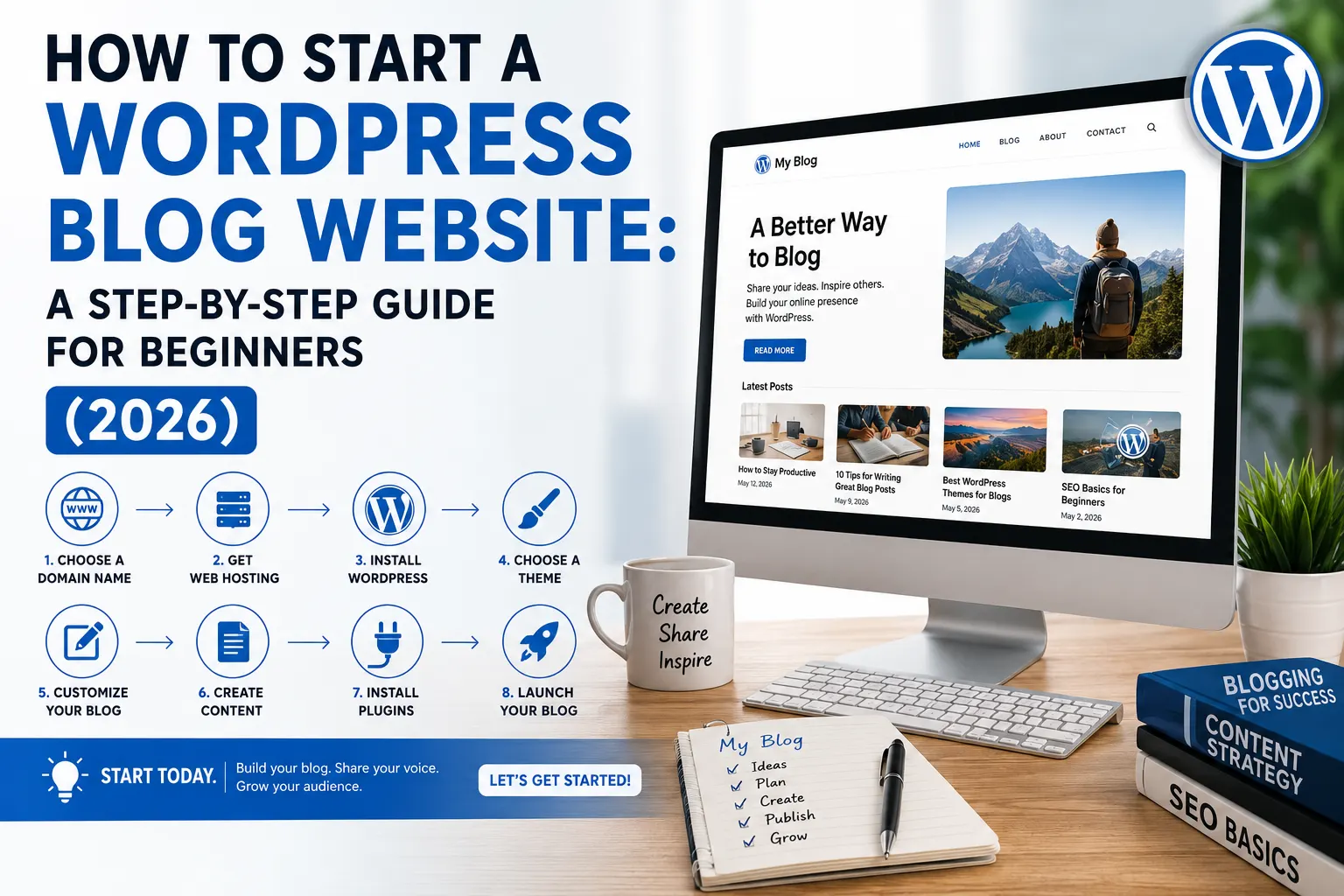
How to start a WordPress blog website: a step-by-step guide for beginners (2026)
TL;DR: Learn how to build a successful WordPress blog Website in 2026 by choosing WordPress.org, selecting a niche, registering the right domain, using reliable hosting, installing essential plugins, and optimizing for Google Search with Google Search Console, Yoast SEO or All in One SEO, Core Web Vitals, and quality content. Follow the right setup from day one to improve rankings, grow organic traffic, and create a blog that can scale into a successful business. 51% of all blog posts go live every day (7.5 million in total) That’s 81 per second. People Start Creating WordPress Blogs Every Second. During the time it took you to read that sentence, 250 posts were just published And yet, most blogs fail. Not because the ideas were bad. Because the setup was. Poor hosting, an identical theme as their main site (they hit a home run!), 23 plugins they installed in the first week alone when implementing SEO structure and content no human being could discover even if programmed to search. Six months of effort. Zero traction. Then they quit. There are a few things you need to consider if you are learning how to start a WordPress blog website, but following the right order will make the process much easier. Table of Contents The Reason Why WordPress Is Still the Best Platform to Start Your Blog Top 5 reasons WordPress still wins in 2026 WordPress.org vs WordPress.com: pick the right one Case Studies Proves Why WordPress still wins in 2026 Step 1: Select your niche & domain name (Do this in the first step) How to Pick a Profitable Niche Choosing a Right Domain for your WordPress blog Step 2: Get your hosting & install WordPress What hosting do you actually need? How to Install WordPress (Simple Method) STEP 3: Select a theme that helps, not hurts Things To Look For In A WordPress Theme Essential Pages Every WordPress Blog Should Have STEP 4: Install Necessary Plugins (For Performance & SEO) Which WordPress Plugins Does Every New Blog Need? How to Optimize Your WordPress Blog for Search Engines STEP 5: WordPress development – Your DIY Which Stand Out 3 Signs You’ve Outgrown the Self-Built Setup What a professional WordPress development actually is Importance of the development foundation in the early stages Step 6: Write and publish your first post Structuring Your Post for Both Readers and Search Engines Your To-Do List Immediately After Hitting Publish Conclusion Final Consideration The Reason Why WordPress Is Still the Best Platform to Start Your Blog A WordPress blog website remains the best choice for bloggers because it combines flexibility, ownership, scalability, and strong SEO capabilities in one ecosystem. Powering over 40% of websites worldwide. Top 5 reasons WordPress still wins in 2026 Full Ownership: You own your content, domain and website. No more leveraging a closed-platform SEO-friendly: Built-in schema, customizable URLs all help to improve SEO with added benefits of plugins like Yoast SEO and Rank Math. Extremely customisable: Thousands of themes and more than 60,000 plugins let you add functionality without writing a line of code. Scalable: WordPress scales with your website from the first blog post to thousands of articles. WordPress is cost-effective: You need not invest a hefty amount in the beginning. Start with basic hosting and features, then upgrade as per your audience grows! WordPress is Still best platform to start a blog because it gives you full ownership of your website, built-in SEO advantages, and unlimited customization. With plugins like Yoast SEO and Rank Math, integration with Google Analytics, and support for WooCommerce. WordPress helps beginners and businesses create fast, search-friendly, and scalable websites That’s why people’s are Choosing WordPress blog website for bloggs, E-Commerece, and businesses alike. WordPress. org vs WordPress. com: pick the right one Every single beginner gets tripped up by this as a result let us make it quick. WordPress. com is the hosted version. Easy to configure, but restrictive in controlling your site. Limited customisation. Only limited monetisation unless you purchase premium plans. Fine for a hobby. Limiting for anything serious. WordPress. org is the self-hosting version that you will want to install on your hosting. You own the site entirely. You have full control of every plugin, theme, feature and revenue stream. Setup of an additional 10 minutes Worth it completely. Case Studies Proves Why WordPress still wins in 2026 Currently, 43.4% of the websites on the internet are powered by WordPress!! That’s not a small lead. Shopify is at 5.7%. Wix at 3.5%. Squarespace at 2%. And India? Word press from india and the US are tied at #1 Word Press google search engine by a mile with 204,000 searches per month. This is a big deal here. WordPress vs Shopify vs Wix vs Squarespace: Market Share Compared ( May 2026) [Source: W3Techs] Well, there is a simple reason behind why a WordPress blog website keeps winning and that is you own everything. Your content, your way to design it, our monetisation rules. No one can pull the rug from under you. No plan upgrades are needed to run ads or affiliates WordPress powers the White House website. So does TechCrunch. So has the blog that you are about to develop. when you are just beginning Blogging isn’t always the money-making thing some blogs will have you believe (especially if you only take into account people trying to sell you something, so pay no notice to any blog you find, which seems to have too many posts or ads for only 2 years time to make much money off ads alone). But there is a bit of money involved even for free blogging on some blogs. There are costs involved with pretty much any site or blog that you can see, it’s the way things work – but we won’t focus on that just yet. First, let’s quickly discuss why WordPress has for many years beaten almost every other platform to make up most of the entire World’s internet. Your website is often the