
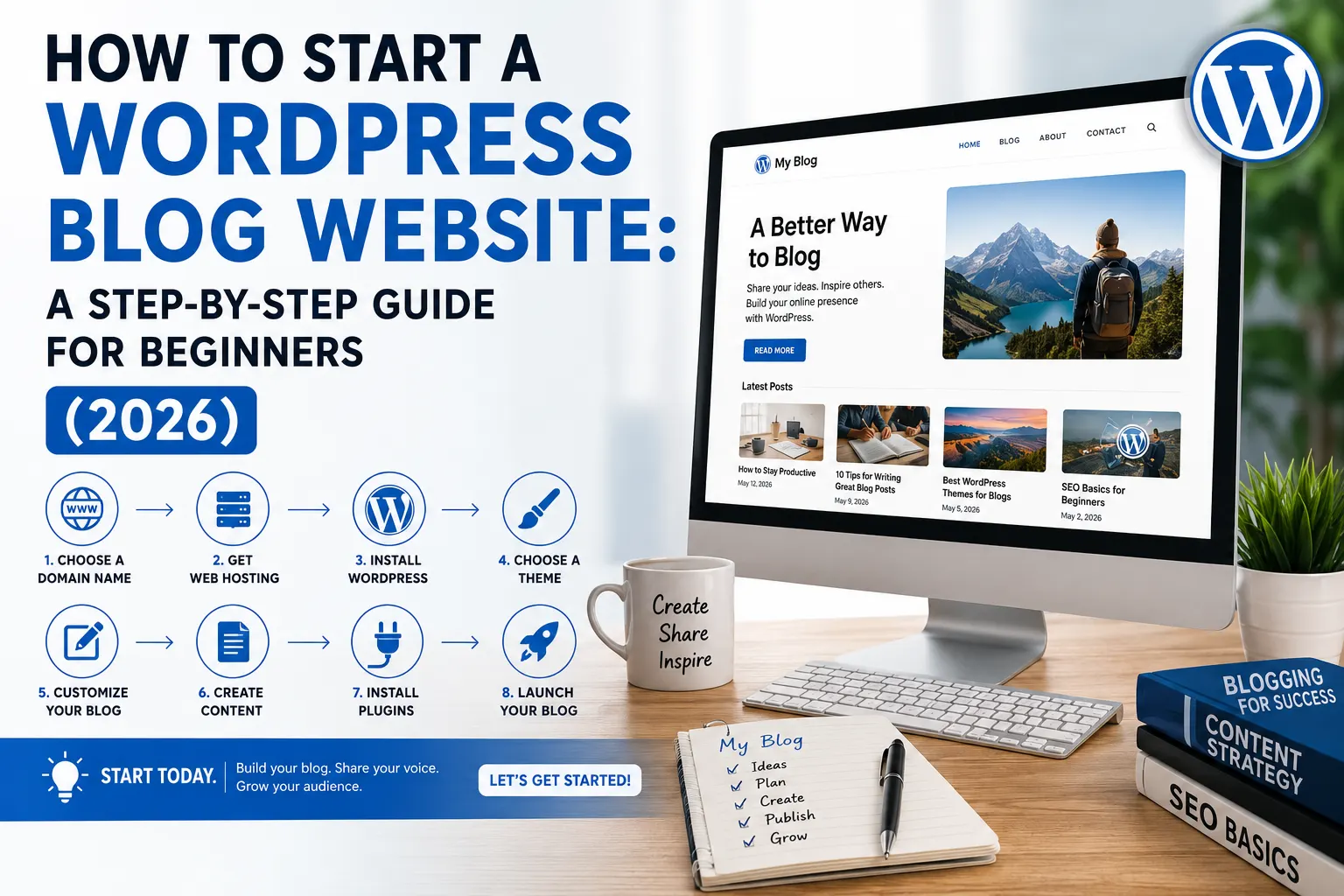
TL;DR: Learn how to build a successful WordPress blog Website in 2026 by choosing WordPress.org, selecting a niche, registering the right domain, using reliable hosting, installing essential plugins, and optimizing for Google Search with Google Search Console, Yoast SEO or All in One SEO, Core Web Vitals, and quality content. Follow the right setup from day one to improve rankings, grow organic traffic, and create a blog that can scale into a successful business.
51% of all blog posts go live every day (7.5 million in total)
That’s 81 per second. People Start Creating WordPress Blogs Every Second. During the time it took you to read that sentence, 250 posts were just published
And yet, most blogs fail. Not because the ideas were bad. Because the setup was. Poor hosting, an identical theme as their main site (they hit a home run!), 23 plugins they installed in the first week alone when implementing SEO structure and content no human being could discover even if programmed to search. Six months of effort. Zero traction. Then they quit.
There are a few things you need to consider if you are learning how to start a WordPress blog website, but following the right order will make the process much easier.
The Reason Why WordPress Is Still the Best Platform to Start Your Blog
A WordPress blog website remains the best choice for bloggers because it combines flexibility, ownership, scalability, and strong SEO capabilities in one ecosystem. Powering over 40% of websites worldwide.
Top 5 reasons WordPress still wins in 2026
- Full Ownership: You own your content, domain and website. No more leveraging a closed-platform
- SEO-friendly: Built-in schema, customizable URLs all help to improve SEO with added benefits of plugins like Yoast SEO and Rank Math.
- Extremely customisable: Thousands of themes and more than 60,000 plugins let you add functionality without writing a line of code.
- Scalable: WordPress scales with your website from the first blog post to thousands of articles.
- WordPress is cost-effective: You need not invest a hefty amount in the beginning. Start with basic hosting and features, then upgrade as per your audience grows!
WordPress is Still best platform to start a blog because it gives you full ownership of your website, built-in SEO advantages, and unlimited customization. With plugins like Yoast SEO and Rank Math, integration with Google Analytics, and support for WooCommerce.
WordPress helps beginners and businesses create fast, search-friendly, and scalable websites That’s why people’s are Choosing WordPress blog website for bloggs, E-Commerece, and businesses alike.
WordPress. org vs WordPress. com: pick the right one
Every single beginner gets tripped up by this as a result let us make it quick.
- WordPress. com is the hosted version. Easy to configure, but restrictive in controlling your site. Limited customisation. Only limited monetisation unless you purchase premium plans. Fine for a hobby. Limiting for anything serious.
- WordPress. org is the self-hosting version that you will want to install on your hosting. You own the site entirely. You have full control of every plugin, theme, feature and revenue stream. Setup of an additional 10 minutes Worth it completely.
Case Studies Proves Why WordPress still wins in 2026
- Currently, 43.4% of the websites on the internet are powered by WordPress!! That’s not a small lead. Shopify is at 5.7%. Wix at 3.5%. Squarespace at 2%.
- And India? Word press from india and the US are tied at #1 Word Press google search engine by a mile with 204,000 searches per month. This is a big deal here.
WordPress vs Shopify vs Wix vs Squarespace: Market Share Compared ( May 2026) [Source: W3Techs]
Well, there is a simple reason behind why a WordPress blog website keeps winning and that is you own everything. Your content, your way to design it, our monetisation rules. No one can pull the rug from under you. No plan upgrades are needed to run ads or affiliates WordPress powers the White House website. So does TechCrunch. So has the blog that you are about to develop.
when you are just beginning Blogging isn’t always the money-making thing some blogs will have you believe (especially if you only take into account people trying to sell you something, so pay no notice to any blog you find, which seems to have too many posts or ads for only 2 years time to make much money off ads alone).
But there is a bit of money involved even for free blogging on some blogs. There are costs involved with pretty much any site or blog that you can see, it’s the way things work – but we won’t focus on that just yet. First, let’s quickly discuss why WordPress has for many years beaten almost every other platform to make up most of the entire World’s internet.
Step 1: Select your niche & domain name (Do this in the first step)
Choosing a Correct niche and domain name before anything else saves you from Common Mistakes that Peoplke Do. These two decisions shape your content strategy, your SEO keyword targeting, and how your audience perceives your brand.
This is the part where people jump in with glee. They purchase hosting, install WordPress, choose a theme and write 3 posts…then figure out that they have no idea for whom is going to read them. Then they start over. Think here before you spend a rupee.
How to Pick a Profitable Niche
When planning how to start a WordPress blog website choosing the right niche is one of the most important decisions you’ll make. The most profitable niches solve real problems, have evergreen content potential, and support revenue streams such as Google AdSense, affiliate marketing, digital products, or online services.
Your niche is simply the main topic of your blog. The narrower and more focused it is, the easier it becomes to create valuable content, especially when deciding the right blogs to write for your target audience.
When we say “Technology” it is a niche just like saying “Food”. Technically accurate, practically broad Match, You need Micro niche that highly specialized segment within a broader market. Niche Like “Productivity tools for Indian freelancers working from home” Specific audience. Specific problems. And the specific search intent you can rank for.
Ask yourself 2 questions:
- I wonder if I can sustain writing about this for 12 Solid months without running out of things to say?
- Are people Continuously Searching for solutions in this area?
If the answers to both of these are yes, then you should be fine. You can always expand to more topics, once you’ve established an authority in a niche.
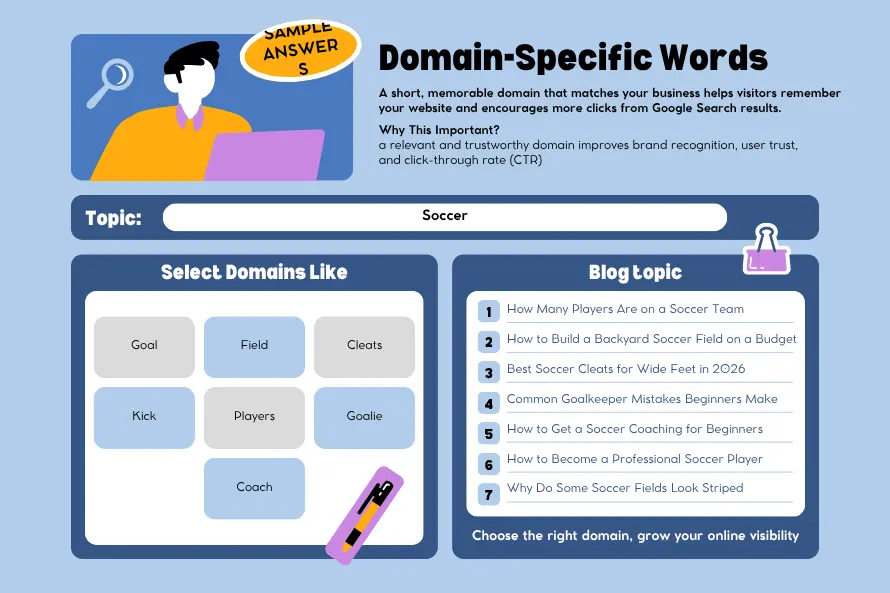
Choosing a Right Domain for your WordPress blog Website
Domain: this address is your blog for the lifetime. Choose it carefully.
Keep it short. Enable ease of spelling over phonetics. Either be a direct reflection of your niche or name the brand as such. Go for. com wherever possible. Nonetheless, it remains the most trusted both by readers and search engines.
The prices for domain registration in India is around ₹500 to ₹1,200 per year. Most hosting providers offer a free domain for the first year as part of their plans so be sure to check what is included before purchasing separately!
Step 2: Get your hosting & install WordPress
Hosting is the land your blog occupies. Your host has an impact on your load speed, uptime and search page rank with Google directly too! Don’t cheap out on this.
What hosting do you actually need?
Shared WordPress hosting is the way to go with a new blog. Affordable, easy to handle and almost all Indian hosting providers includes 1-click WordPress setup with free SSL and SSD storage.
Monthly Subscription Cost as per Regions: 1.India – The entry level plans start from ₹59 to ₹219/month on an annual billing Depending on what is included, full year plans typically range from ₹3,599 to 8,999.
Be on lookout for 4 indicators when comparing the hosts: Ideal hosts will provide a uptime guarantee, SSD or NVMe disk storage availability along with free SSL and daily automatic backups. Moving on, just in case you miss any of those.
However, if you want to run an e-commerce component with your blog starting from day one go for managed WordPress hosting instead. The extra cost is worth it.
Still deciding which hosting provider to choose? Before purchasing, compare pricing, performance, server locations, renewal costs, and WordPress features in our complete Best WordPress Hosting Company guide. It helps beginners and businesses choose the right hosting without overspending.
How to Install WordPress (Simple Method)
Installing WordPress takes only 4-5 minutes
After paying for it, log into the control-panel of your hosted account. Find the one-click WordPress installer. Add your site title, then create a strong administrator username and password. Done.
Your dashboard is at yourdomain. com/wp-admin. Posts, pages, makers, themes , plugins and settings all live here.
STEP3: Select a theme that helps, not hurts
A theme is what determines the appearance of your blog. But even more important: It also controls how quickly your blog loads, which is very relevant for SEO.
Things To Look For In A WordPress Theme
Installing a WordPress theme depends on where it comes from. Free themes can be installed directly from the WordPress dashboard, premium themes are uploaded as ZIP files, and FTP should only be used if the standard methods fail.
Choosing the right theme is also important when planning the blogs to write on your website because your design should support your content structure, readability, and user experience
This guide on How to install a wordpress theme (a Step-by-step Procedure) walks you through each installation method, common mistakes to avoid, and the essential steps to take after activation for a smooth, secure website setup.
Choosing the right theme is one of the most important steps in building a fast, attractive, and SEO-friendly WordPress blog website.
- Lightweight code: Google Prefers Fast Page speed is one of a ranking factor. That bloated Theme is so packed with thousands of scripts that it buries your content in slow load times before anyone reads.
Mobile responsiveness: Mobile-first indexing by Google (2026). Your mobile version is what gets evaluated by Google first. It is common knowledge that if it does not look good on a phone, then Google will probably not give it high ranking. Period.
Accessible design: The themes which work for users with disabilities also appear to be cleaner, better coded and readable across devices.
Start with a free themes from the official WordPress theme directory, or premium ones by famous developers. Stay clear of themes from those random sites you never heard about. Or, that unverified sources are often riddled with security vulnerabilities.
Essential Pages That Every WordPress Blog Websites Should Have
Pages you should have before clicking publish. Get these 4 pages set up before your first post goes live!
- About: who you are, what this blog is about & why should anyone read it.
- Contact Page: Let people reach you.
- Privacy Policy: You are legally required to have one if you are collecting data or running ads.
- Navigation menu: boxed in a simple manner that allows visitors to navigate without guessing.
One more thing. Switch on your Permalink to: WordPress Settings > Permalinks and change the structure for Post name. All of these change your URLs from yourdomain. com/? p=123 to yourdomain. com/your-post-title/. Serious advantage for your readers and search engines. You must do this even before publishing anything, because if you change it afterwards leads to broken links.
STEP 4: Instal Necessory Plugins(For Performance & SEO)
Every plugin you install on your WordPress blog website adds additional code and Slow Downs So Carefull while Choosing. If you’re a Beginner and wants to Jump From Common Mistakes that Every people make you just follow this Tutorial(No Blabb or Fluff) Just what you Need to do With the Right plugin.
Which WordPress Plugins Does Every New Blog Need?
Here’s the core set:
- SEO Plugin: Yoast SEO or AIOSEO. Pick one. These allow you to control meta titles, Meta Descriptions, XML Sitemaps and Schema Markup all from within the post editor itself. Don’t install both.
- WP Super Cache or W3 Total Cache: Caching plugin These generate static versions of your pages so that repeat visitors get the cached version of your site instead of hitting your server fresh each time.
- Security Plugins: Wordfence or iThemes Security Set this up on day one. It is estimated that almost 13000 WordPress sites are compromised every day. A lot of those attempts fall victim to the firewall from your security plugin before they become problems.
- Image compression plugin: Smush or ShortPixel Conventional HTML pages lag mainly because of Page Load Time (PLT) and the number one cause for slow WordPress Pages are Images. They automatically compress your files without any perceivable loss in quality.
- Backup plugin: UpdraftPlus. Set up a daily-backup service in the cloud This is the ONE plugin you will thank yourself for installing on that day when something goes wrong.
After building your website, your next priority should be protecting it. Our WordPress Security Checklist walks you through 27 essential security checks, from updates and backups to two-factor authentication and malware protection, helping you secure your website before attackers find an opportunity.
How to Optimize Your WordPress Blog Website for Search Engines
The SEO setup you do once
Just 4 tasks in this (30 minute) SEO checklist post installation of your new plugin.
- Add your XML Sitemap on Google search console: This informs Google that your site is up and running, along with what URL’s to crawl.”
- Create a title tag and meta description for every page: The title is reflected in Google searches, People read the description before hitting click.
- There is only one H1 per page: your main title followed by a series of H2s for major sections and then sometimes an occasional use of an H3 to address sub-points within those major sections. In the H1, as well as within 100 words into your post.
- Construct internal links from the first day onward: New post should always have a link to one or two older posts on the website. When you do this, it transfers authority from one page to another charitable between pages and helps Google understand what is your entire site about.
And this is precisely how our SEO services work: technical structure first, content strategy on top of that clean foundation.
STEP5: WordPress development -Your DIY Which Stand Out
This is how the majority of blogs get online and start driving some initial traffic. However, there comes a time when the template looks like every other template, the website is still slow even after plugin tweaks and site design doesn’t accompany the authority that you have gained through your content.
That’s the ceiling.
3 Signs You've Outgrown the Self-Built Setup
If your website has outgrown a basic WordPress setup and you’re planning to sell products online, it may be time for a professionally built store. Explore our eCommerce Website Development Services for a scalable ecommerce website designed around your products, customers, and growth plans.
Even after efforts to optimise, your pages are still slow. Your design is not generating leads, subscribers or customer out of visitors. You require something specific, a solution that is Customized specifically for your needs – perhaps, you need a membership area or an online booking system or maybe even some API integration after all that even cannot be achieved with current setup.
At that point, it ultimately costs you due to the time wasted and lost opportunities. This is primarily why hiring an expert will always pay for itself. Saves time → With over 50+ Business was Developed by Hattrick Web Works launches SuccessFully, provides Customized solutions from generic WordPress setups to performance-built sites.
What a professional WordPress development actually is.
Developing a WordPress Blog website is much more than simply installing a theme. But The performance architecture: custom Modifications, Cach Clearing, database Accesing, server-level configuration speed work. This includes Value-driven design, which is all about designing layouts designed around anything that gets people to take action.
Beyond performance, a WordPress blog website should be built with conversion-driven design to subscribe, make inquiries, or take other actions it also examines technical SEO at the infrastructure scale: things like clean URL structures, schema markup, Core Web Vitals scores and site architecture that Google can crawl/read in a timely manner.
All of this is done with how each project should be built and that is our custom web development services.
Importance of the development foundation in the early stages
One of the Main Foundations Mistake that Every Beginner Make, If you’re Exploring how to start a WordPress blog website, creating the right structure from the beginning is Essential.
Creating structure of your WordPress blog website gives healthy roots and allows your visitors to get Informations about your website. It connects your marketing tools, carries performance as your content library grows and does not need a full rewrite 18 months in when the cracks start to show.
That development roadmap should be embedded in your thinking from day one, not a crisis plan for later. Especially if you’re beginning with basic website design services and have a loftier ambition regarding where the blog goes.
Yes, but ChatGPT functions as a specialized assistant rather than an autonomous deployment tool.
What it CAN do: It can generate clean PHP template code, write custom JavaScript, write
functions.phpsnippets, and draft CSS to modify themes. It can also walk you through step-by-step cPanel configurations or draft copy tailored to block layouts.What it CANNOT do: It cannot physically buy hosting, configure server-side DNS, map databases, or test dynamic runtime conflicts between two distinct plugins in a live environment.
Our Recommendation: You can use ChatGPT to generate code and troubleshoot bugs, but an absolute beginner still requires a platform (like LocalWP or a live host) to assemble the pieces.
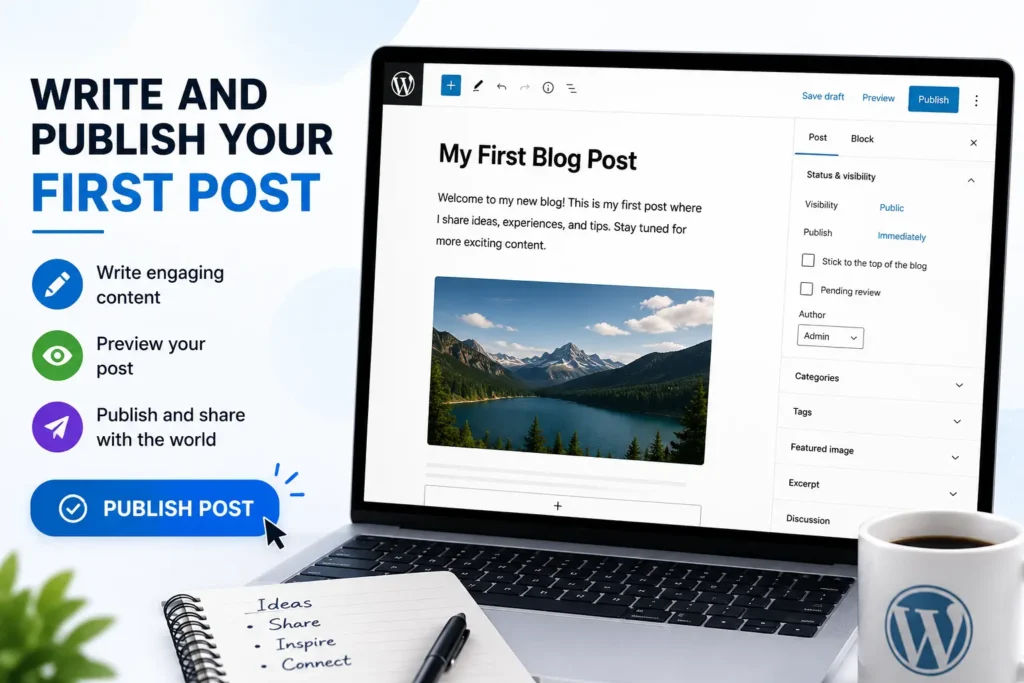
Step 6: Write and publish your first post
Setup is done. Now comes the part that builds your blog. Before We Create a blog Content We need a Structural Plan That Tells How the Blog Flows From Start to End.
Structuring Your Post for Both Readers and Search Engines
First of all, understand what your Audience really needs and How can they search for that specific search term. Before you Create Content, The structure tells your content around that Search intent.
- There is Only One primary keyword in H1 title. Use H2’s For Explaining Your Content in Detail. Also Include Your secondary keyword as related to your H1. the H3 is for sub points in the section above. Small paragraphs: 2 to 4 lines at maximum.
- Your target keyword that also appears in the first 100 words, in a couple of subheadings and at around 1-2% density distributed across your body copy. Not stuffed. Just present.
- Include internal links that go to other posts on your site. One or more images with an appropriate alt tag. Make sure that your post gets a green or good rating with the SEO plugin before hitting publish.
Your To-Do List Immediately After Hitting Publish
Distribute it across every social channel your audience actually uses. Upload your sitemap to Google Search Console (most SEO plugins do this automatically when you publish – confirm that it has) Share it in relevant communities, forums, and newsletters in your niche. Refer Other WordPress Blog Websites for Ideas and
and best practices for the blogs to write that will provide value to your audience.
Thus, the Organic search becomes your best traffic Source of all time. However, instead of passive promotion, your domain authority is growing for the first few months and active promotion closes this gap. Post consistently. As your library expands, you can connect new posts to prior ones. Monitor your rankings in the Google Search Console every month and find out what’s working.
There are only 2 things the blogs that actually create real, sustainable traffic. Consistency is Matter do: publish regularly; and every post is treated like a relationship in an interconnected system. When See popular Sites Pattern Such as Semrush, Ahrefs you got Something in That helps to Improve your Qualities and You know How Frequently they post, Their Structures, Their Content Strategies Etc.
The 2026 Core Reality: WordPress’s market share dropped significantly below 43% in early 2026 (hovering around 41.5%-41.9%) due to continuous “maintenance debt” and the highly publicized Automattic vs. WP Engine legal conflict, which fractured community trust.
-
Key Reasons for Leaving:
-
Security Risks: Over 90% of vulnerabilities originate from third-party plugins. The median time from a plugin vulnerability disclosure to an active exploit is now down to just 5 hours.
-
Performance Overhead: Heavy frameworks (like traditional Elementor/Divi setups) struggle to pass Google’s updated, strict Interaction to Next Paint (INP) Core Web Vitals.
-
-
Top 2026 Alternatives:
-
Shopify: For e-commerce businesses scaling past WooCommerce’s localized tax and multi-warehouse logistics complexities.
-
Webflow / Framer: For designers wanting visual-first development without core/plugin updates breaking the layout.
-
Headless CMS (Storyblok, Contentful) + Next.js: For enterprise sites prioritizing raw edge speed and zero database exposure.
- To know more about What Is a CMS? Types, Benefits & How to Choose the Right CMS (2026 Guide) Check Out Out Complete Guide
-
Conclusion
There are a few things you need to understand about how to start a WordPress blog website in the right order. From planning your niche and choosing the right blogs to write to setting up SEO and publishing valuable content, following a clear process can make the entire journey much easier.
- Choose What You Want WordPress.org is a reliable hosting Option.
- Pick a clean, fast theme.
- Install plugins of What your Niche Wants.
- Set your SEO from day one.
- Create blog posts based on Specific Search Intent Don’t promote early Your Blog takes Time to get organic authority builds.
- Add your DIY Ideas to Stand Out.
- Then, Focus on providing Informative Content Which Google Loves and make sure your content Provides Your Experience, Expertise, Authoritativeness, and Trustworthiness(EEAT).
- Finally The Technical SEO Is Important, You Need A Lighthouse Report which is automated website audit generated by Google Lighthouse that evaluates a site’s Performance, Accessibility, Best Practices, SEO, and Progressive Web App (PWA) capabilities. Available in Google Chrome DevTools and PageSpeed Insights, it provides performance scores, Core Web Vitals metrics, and actionable recommendations to improve user experience, search visibility, and website speed.
Final Consideration
Launching a successful WordPress blog website isn’t just one thing. it’s about completing every important step in the right order. This guide on how to start a WordPress blog website is not like another article that simply lists a few tips.
It’s a practical, step-by-step roadmap based on real-world experience, showing you exactly what to do, what to avoid, and why each step matters if you want to build a blog that grows organically and performs well in search engines.
Whether it means picking trustworthy hosting, Set Up SEO settings, publishing useful content that drives traffic while boosting your Google Lighthouse score or writing to Google’s E-E-A-T standards, Every step helps you grow.
Your site could still succeed even if you missed one step, but it will take more time and effort in updating to achieve the results you want. That is why planning the entire journey from scratch always ends up being the smartest step.
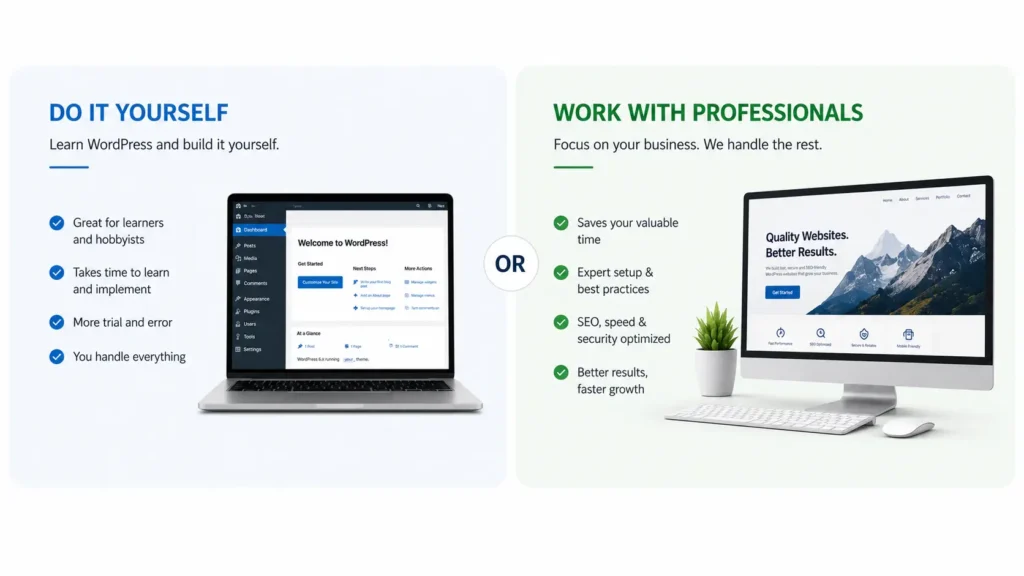
If you are learning how to start a WordPress blog website, it is very easy to create yourself. But if your priority is growing your business instead of learning the technical side of websites, working with experienced professionals can save you valuable time.
At Hattrick Web Works, never skip a single step While Developing website in WordPress (WP) Environment, We Design a Well Structured Plan for you Website, Creating SEO Optimized and Engaging Content which Satisfy The Search Intent of your Websites. So that your website is ready to perform from day one.
Your business is worth much more than a website. It deserves a website that works for and makes people find, trust and remember it.
Cost to start in India: Domain: ₹500–₹1,200/year | Hosting: ₹3,599–₹8,999/year | Premium theme: ₹2,000–₹7,000 | Professional build: ₹35,000+
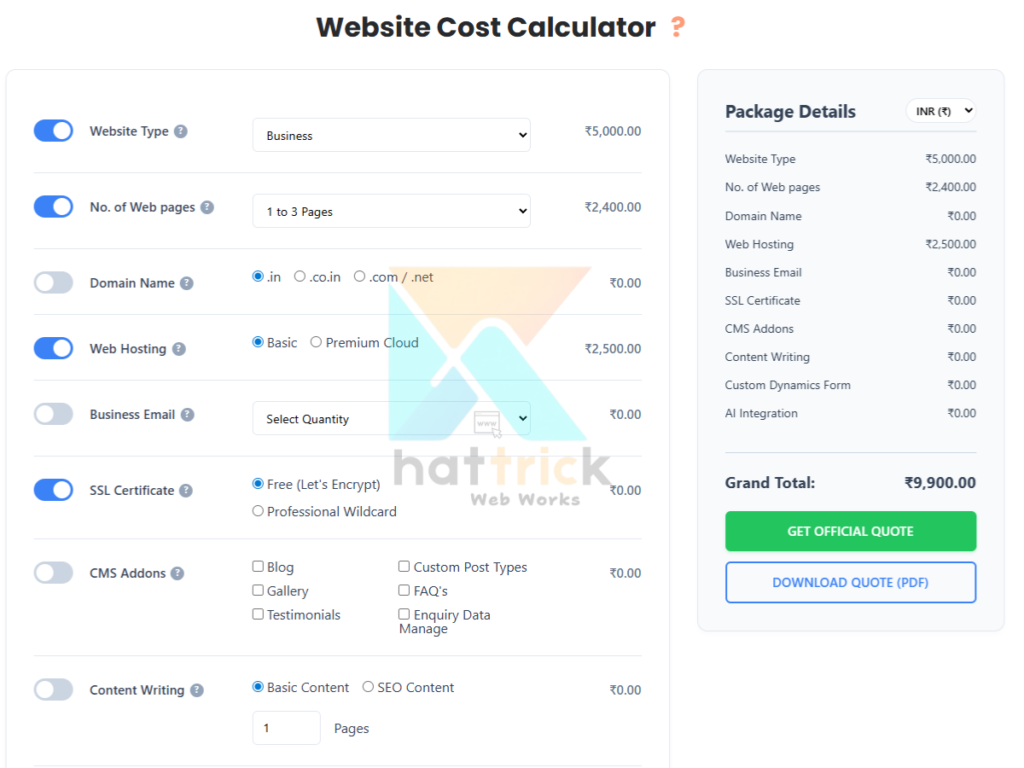
Before you spend anything, get a real estimate for your project: Use our website cost calculator , built specifically so you know exactly what your WordPress website will cost before committing to anything.
Frequently Asked Questions
Is WordPress Free
WordPress. org is free. No licensing fees. All you need is a domain name (about ₹500 to 1,200 annually in India) and then some hosting plan [from starting at only ₹59/month]. A free domain will usually be included for the first 12 months with most hosting providers, so take note of what is covered in your selected plan and avoid buying a separate package.
How much do I need to setup a WordPress blog Website in India?
On average, a self-hosted website costs around ₹500–₹1,200 per year for the domain and about ₹3,599–₹8,999 annually to get hosted on shared hosting (Shared Hosting). If you are looking for premium theme, or paid plugins then add ₹2,000–₹7,000.
Custom WordPress development for a site built from scratch begins at ₹35,000 and goes up depending on complexity. Want to know an exact number for your particular project? Not Sure How Much Your Website Will Cost? Get an instant, personalized estimate in under a minute.
How to start a wordpress blog website
To start a WordPress blog website, choose a niche, register a domain, purchase reliable hosting, install WordPress, select a lightweight theme, add essential plugins for SEO, security, and performance, create core pages, publish high-quality content organized into topic clusters, and optimize your site with structured data, internal links, and strong page experience signals.
Blogging on WordPress
Blogging on WordPress is the process of creating, publishing, and managing articles using WordPress, the world's most widely used Content Management System (CMS). It allows individuals, businesses, and creators to publish SEO-friendly content without advanced coding skills.
How to delete wordpress comment
To delete a WordPress comment, go to Dashboard, Then Click Comments, hover over the comment, and click Trash. To remove it permanently, open the Trash tab and select Delete Permanently.
What if I have no knowledge of coding?
No. The WordPress block editor (Gutenberg) is a Drag & Drop(Beginner-Friendly)way for content creators to visually compose their articles. Themes can be configured through settings panels. Plugins install with one click. Build and run entire blog without writing a line of code. At that point, if you want custom functionality then that's where a developer gets value.
Can I make money from a WordPress blog Websites?
Yes, and WordPress imposes no restrictions on the ways. Common options are via Google AdSense, affiliate links, selling digital products like e-books or courses, selling services and/or a full WooCommerce store. Some bloggers make money, and about 37% of them. Roughly 15 percent make it to a full-time income level. The ones that are getting there consistently, have a well defined niche and treat the blog like a business from day 1.
Is WordPress good for SEO?
Yes, WordPress is well-suited for SEO espicially creating for Business or Individuals, Their SEO-Friendly Features and Tools Makes stand out: Clean URL structures, Proper Headings Hierarchy for Blog Post/Pages Used in CreationTools Like Yoast & AIOSEOStrong Plugin SupportCore Web Vitals OptimisationXML SitemapSchema Markup All of this, is coming together as a strong technical backbone. The platform provides the tools for you. The ranks you see, and the real-world use of those devices is what matters.
what is plugin in wordpress
A WordPress plugin is a software add-on that extends the functionality of WordPress without changing its core code. Plugins let you add features such as SEO (e.g., Yoast SEO), eCommerce (WooCommerce), security (Wordfence), caching (LiteSpeed Cache), and contact forms (Contact Form 7) with just a few clicks.
How to make cool CSS animations in WordPress?
To add cool CSS animations, install a plugin like Animate It! for scroll effects, or paste custom CSS into Appearance → Customize → Additional CSS.
Plugins (No Code): Use Animate It! (scroll/hover animations), MotionCraft (smooth scroll-triggered effects), or Safelayout Cute Preloader (preloader animations).
Customizer: Go to Appearance → Customize → Additional CSS and paste your animation code.
Theme Files: Add CSS to
style.cssor a child theme.Modern CSS (2026): Use CSS Scroll-Driven Animations API for high-performance, JavaScript-free parallax and scroll effects.
How do you speed up a WordPress site?
To speed up a WordPress site, choose fast hosting, enable page caching, compress images, use a lightweight theme, minimize unnecessary plugins, and deliver content through a Content Delivery Network (CDN). Performance plugins like LiteSpeed Cache or WP Rocket, image optimization tools such as ShortPixel, and testing with Google PageSpeed Insights and Google Lighthouse help reduce loading time, improve Core Web Vitals, and enhance both SEO and user experience.

1 Comment
Great content! Keep up the good work!