
Most business owners update their website by sending a message to their developer, then waiting two days for a text change without knowing what is cms can do for. That bottleneck costs time, kills momentum, and makes your website a liability instead of an asset. The solution exists, and it has been powering the majority of the internet for decades.
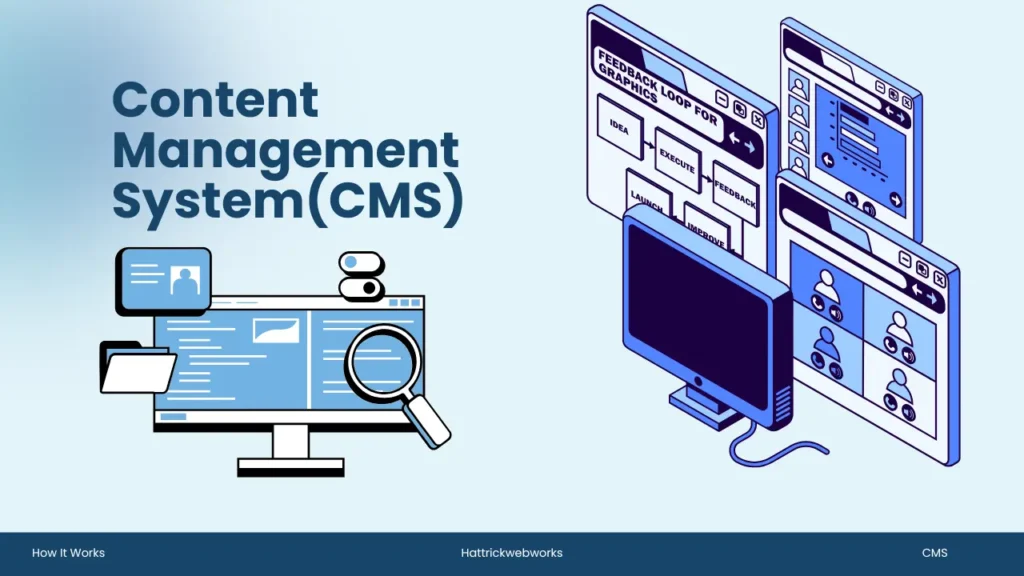
CMS stands for Content Management System. It is the software that sits behind your website and lets you create, edit, publish, and manage content without writing a single line of code. According to data from CMS Statistics, roughly 68.7% of all websites today run on a CMS. If your website does not, your team is spending developer hours on tasks that should take minutes.
This post will cover what a CMS is, how it works behind the scenes, available types of mobile content management systems and help you choose the right one for your business. At the end you will have a clear framework, based on your current setup whether this is helping or hindering your growth.
Why Does Choosing the Right CMS Matter?
Your website is not just an online presence but one of your most important assets. It portrays your brand, attracts site visitors to help customers find you through Search Engines, supports marketing initiatives and many times even directly generates leads/news sales.
This is why an appropriate choice of Content Management System (CMS) can be a key decision. The right CMS will help you manage your website as your business grows, and the wrong one can make it a nightmare.
The wrong CMS for your business will only increase future maintenance, slow down website changes and make you reliant on developers for even simple updates. These problems not only add to your costs but also push back campaigns and scale down the ability of the sales team in responding faster with customer demand.
The right CMS, on the other hand will help your team publish faster with less friction, manage pages in a few clicks and keep business as usual while abstracting away all technical challenges off their plate.
A smartly chosen CMS also allows for the sustainable growth of a business. It comes with SEO optimized tools that assist in enhancing the search engine presence of your site and helps potential clients discover your business easily.
When your company starts to scale, the right CMS should also do so with you by easily accommodating more pages and features, new integrations and higher traffic without needing a necessary website rebuild. Picking the right CMS today, creates a strong foundation for better performance, easier management, and future growth.
What Does CMS Stand For?
Knowing what is CMS stands for is the first step toward understanding how modern websites are managed. The sections below explain what CMS stands for, what it means in simple terms, and the key functions it performs to make website management easier.
The Full Form and Simple Definition
CMS stands for content management system and is a software that allows users to create, edit, organise or maintain such an online presence without needing any technical skills. Think of it like the control panel for your overall digital presence is how this interface combines between your business and all things code, maps out what functionality will have on our websites thus bringing them to life.
Before CMS platforms Everything was writing HTML on your own, managing files through FTP and calling a developer every time you need to put – For either It is a One Line code or any Important Updated. That dependency completely disappears with a CMS.
Anyone on your marketing team can write a blog post, anyone in sales updates product page info, operations change opening hours straight from an easy browser based dashboard.
What Can a CMS Actually Do for Your Website?
A Content Management System is used to simplify website management. Whether you’re publishing blogs, updating service pages, managing products, or optimizing your website for search engines, a CMS allows your team to perform these tasks without editing code. A modern CMS does much more than just text and images. Your CMS can, depending on the platform:
- Design and publish web pages, blog posts, and Lead Pages
- You can Esily manage media files from images, video, and documents.
- Manage user roles and access settings throughout your team
- Handling Ranking configurations Like SEO settings like meta titles, descriptions, and URLs
- Integrate with other tools like CRM systems, email platforms and analytics
- Supports e-commerce functionality support product catalogue, inventory and payments
A CMS is a simple way to bring content back under the control of those who need it most! These groups are your business team, not so much your development team.
Static Website vs CMS Website
Choosing between a static website and a CMS website depends on your business goals, technical requirements, and how often you need to update your content. Understanding the differences between the two approaches will help you select the right solution for your website’s long-term success.
|
Feature
|
Static Website
|
CMS Website
|
|---|---|---|
|
Content Updates
|
Developer Needed
|
Anyone Can Update
|
|
SEO
|
Difficult
|
Easy
|
|
Cost
|
Higher
|
Lower
|
|
Blogging
|
Difficult
|
Simple
|
|
Scalability
|
Limited
|
Excellent
|
Real Business Examples
A CMS Can be Used Widely here’s some of the Real-World Example that People’s are Using Exactly to reduce Their Time and Cost Efficiently.
- Restaurant: Updates menus and prices instantly with a CMS.
- Real Estate Agency: Publishes new property listings quickly using a CMS.
- Hospital: Manages doctor profiles, departments, and health blogs with multiple editors.
- Educational Institution: Keeps admissions, notices, and academic updates current through a CMS.
How Does a CMS Work? (Backend to Frontend Explained)
Every content management system has a structured workflow that handles everything from storing content to displaying it on your website. To understand why a CMS is so effective, it’s helpful to know how it works behind the scenes. The following sections explore the backend and frontend architecture of a CMS, along with the WYSIWYG editor that allows users to create and edit content with ease
The Three Layers Every CMS Is Built On
So those are the three layers above that every CMS is built on. Knowing how a CMS work will help you to make the best bet on choosing one. Every CMS essentially runs on three layers.
Database Layer
The Database is where all your content lives – articles, images, metadata, and user data. Most traditional CMS platforms use a MySQL database for storage due to its flexibility and reliability.
Application Layer(BackEnd)
The Backend (Application Layer) manages the rules for how content is processed. This is where your admin dashboard lives. When you log in, write a post, and hit “publish,” the backend is handling that request, applying permissions, and sending the data to the database.
Presentation Layer(FrontEnd)
The Frontend (Presentation Layer) is what your visitors actually see. It pulls content from the backend and renders it through pre-designed templates and themes. When someone lands on your homepage, the frontend is assembling that page in real time using the content stored in your database.
In short, the CMS acts as the control centre where backend logic powers a seamless visitor experience without requiring your team to understand any of the technical infrastructure underneath.
What Is a WYSIWYG Editor and Why Does It Matter?
WYSIWYG is What You See Is What You Get Also referred to as an editing interface, it’s the component that makes a CMS usable by non-coders. You no longer write HTML tags, rather you enter the content in an interface like Microsoft Word – bold text insert image add links and all of this will be done automatically by the CMS codewise.
This is what brings content creation in your business to the masses. Your marketing team does not need to wait on a developer to publish a campaign update. A well-configured CMS with a WYSIWYG editor means faster time-to-market for every piece of content your team produces.
What Are the Main Types of CMS Platforms?
The type of CMS you choose can impact your website’s performance, flexibility, and long-term growth. In the following sections, you’ll learn about the two primary CMS models, understand their strengths and limitations, and discover which platform best suits your business needs.
Traditional (Coupled) CMS - Best for Most Businesses
In a traditional or “coupled” CMS, the backend and frontend are both tightly interlinked in one system. It is a unified place to manage your database, admin panel & design templates. WordPress is the most prominent example of this architecture.
This configuration is perfect for most Small and medium-sized organizations since it’s easy to market, simple to customize with subjects and modules, and has a large gathering of designers backing it up. It uses the backend for day-to-day content management, which is instantly reflected in the frontend.
Headless CMS - Built for Scale and Flexibility
A headless CMS separates content creation from content delivery. The backend stores and manages all your content, but instead of being tied to a single frontend template, it delivers content via an API to any platform like your website, a mobile app, a digital display, or a third-party application.
This means that since the frontend and backend are completely decoupled, load times can be much faster as the net code is optimised independently of other services (as Hygraph themselves explain) leading to leaner loads with greater performance. Some of the popular headless CMS platforms: Contentful, Strapi and Sanity.
In fact, Headless Architecture is most suitable for higher organisations like larger businesses and SaaS products that need to publish the content on various channels at a single time. For a startup or SME launching their primary website, it is typically more infrastructure than necessary at the early stage.
Which Type of CMS Is Right for Your Business?
In Market There are Many types of cms, The answer depends on your growth stage and technical capacity:
- Traditional CMS — best for nearly all business websites, blogs, service pages and content published marketing sites. Light-weight, quick to deploy and easy for non-developers.
- Headless CMS –Incredible for scalable SaaS products, omnichannel posting needs and organizations having committed advancement groups who need the full opportunity over their frontend.
If you are creating (or re-creating) a business site and your main goal is performance, lead generation or SEO visibility, Then a well-configured traditional CMS with a custom development approach delivers the best results.
|
Feature
|
Traditional CMS
|
Headless CMS
|
|---|---|---|
|
Easy To Use
|
Yes
|
No
|
|
Developer Required
|
Rarely
|
Yes
|
|
SEO
|
Excellent
|
Excellent
|
|
Cost
|
Lower
|
Higher
|
|
Speed
|
Good
|
Excellent
|
|
Multi-channel
|
Limited
|
Excellent
|
Popular CMS Platforms You Should Know
These days, there are plenty of CMS out There and Choosing the right content management system is not only about your website. We’ll go through some of the most popular options, see where they each shine in the following sections and discuss how your CMS choice can impact your website SEO.
WordPress - Still the Market Leader
The most-used content management system (CMS) in the world is still WordPress. WordPress powers approximately 43-44% of all websites worldwide, representing around 61% of the CMS market. It is open-source, highly extensible, and supported by a vast ecosystem of plugins, themes, and developers.
Most of business websites especially the ones that are content marketing, SEO and lead generation WordPress offers the right balance of flexibility and manageability. It can be very much optimised for speed, security and scalability with the right development Team.
When to Use Shopify, Wix andSquarespace?
Choosing the right CMS is only the first step. If you’re ready to turn that platform into a fast, secure, and conversion-focused online store, explore our eCommerce Website Development Services to see how we can build it around your business goals.. Beyond WordPress, several platforms serve specific use cases well:
Shopify is one of the best eCommerc platform there is. It requires minimal technical setup and manages product listings, payment processing, inventory control, and order fulfilment. At Present(Currently), Shopify Holds something around 6.7% of the CMS market and is a natural suggestion for businesses that have e-commerce as their primary objective. For the business that requires more content and beside commerce, Shopify with headless CMS is offers a best of both worlds.
Wix and Squarespace are fully hosted, no-code website builders. They are accessible to individuals and very small businesses launching a basic online presence. According to CMS market data, Wix has grown 29x in market share since 2014. However, they offer limited customisation compared to WordPress and are less suited for businesses with complex content, SEO requirements, or long-term scalability needs.
Does Your Choice of CMS Affect SEO Rankings?
This is one of the most common questions businesses ask when evaluating platforms. Google’s Search Advocate John Mueller addressed it directly: Google’s systems do not evaluate which CMS was used to build a page. What matters is the final result delivered to the visitor? page speed, mobile usability, content quality, and technical SEO signals.
What this really means in practice, is that virtually any well configured CMS will deliver good results for your search. Rank with Your CMS is a tool meaning that You can rank better if your business model is something Provides Value + Practices Best strategy for professional SEO services + Proper (SILO) site architecture with Great Content Marketing, but it doesn’t matter what platform you use.
|
Business Type
|
Best CMS
|
|---|---|
|
Small Business
|
WordPress
|
|
Blog
|
WordPress
|
|
Ecommerce
|
Shopify
|
|
Startup SaaS
|
Headless CMS
|
|
Enterprise
|
Headless CMS
|
What Are the Key Benefits of Using a CMS for Your Business?
Using CMS For Your Business can offers much more than an easy way to publish content. It provides the tools businesses need to manage websites efficiently, improve online visibility, and support long-term growth.
In the following sections, we’ll explore Some of the main advantages you get from using a CMS for your business, and you will know that how cms Websites are performing well.
No Coding Skills Required
The most obvious advantage to a CMS, is independence. It means your team is able to create, update and publish content without the need for developers. It Reduces operational friction, reduces costs for routine updates and speeds up your reactivity to market changes.
Any business who can now self-manage their service pages, write and publish weekly blog content or build campaign landing pages without being stuck in a development queue is competing from a position of strength.
Built-In SEO Tools That Support Organic Traffic Growth
The right content management system (CMS) allows your team to actively manage the SEO components that impact organic traffic growth. The top platforms let you edit meta titles and descriptions, control URL structures, set canonical tags, configure robots.txt files all on their own as well as integrate with tools to support keyword strategies and track performance.
This is directly connected to revenue. When businesses publish optimised content over time, on a performance-driven CMS they can compound organic traffic. Organic traffic that does not depend on continuous paid acquisition spent. If there is a need for systematic way to manage content and get seen on search, then the right CMS configuration at its base creates that possibility.
Scalability and Team Collaboration
A CMS grows with your business. As your team grows, you can set up role-based access permissions for editors/authors/administrators were like assigning the right control to the right person. Content workflows help teams draft, review and approve content before it is published.
On the technical side, a CMS built on scalable digital systems can grow from a basic business website to a multi-section content hub without requiring a platform rebuild. This long-term reliability is a key factor in the total return on investment of your website infrastructure.

Questions to Ask Before Committing to a Platform
The first step to choosing the right CMS is figuring out your business needs not a platform feature list. Consider these questions:
- Who will manage content day-to-day? Make Sure It Is Easy to Use & WYSIWYG Editor The semi-technical teams are also experts in this area.
- What is your primary goal? Lead generation, e-commerce, or content publishing each point toward different platform strengths.
- What is your growth trajectory? A platform that works for you today will also work at 5x the amount of content that you have now.
- What integrations do you need? Your CMS also needs a smooth integration with CRM, email marketing platforms, analytics and payment systems.
- What are your performance requirements? Page speed and Core Web Vitals are confirmed Google ranking factors, your CMS and hosting setup directly affect them.
When To Work With A Web Development Company?
A CMS is not a fully autonomous solution. The platform itself is only as effective as the development decisions made when building on top of it. Template selection, site architecture, page speed optimisation, plugin configuration, and SEO setup all require technical expertise to implement correctly.
Also, Company like Hattrick Web Works offers custom web development to ensure the CMS configured from day one instead of just installed and handed over; so businesses get a better starting point from Day One. Your business also perform on all Technical Requirements including performance, security & scalability. This makes a huge difference when your main source of leads and organic growth is your website.
Hattrick Web Works has worked with 50+ businesses to transform their online presence through performance-driven web development. The foundation of that work is always a CMS setup that gives clients full control over their content while maintaining the technical standards required to rank and convert.
If you are building an e-commerce development project, the same principle applies. the right platform paired with the right development approach delivers measurably better outcomes than a generic setup.
Conclusion
CMS stands for Content Management System – and for most businesses, it is the single most important infrastructure decision behind their website. The right CMS gives your team full control over content without developer dependency, supports organic traffic growth through integrated SEO tools, and scales reliably as your business grows.
Key Takeaways: Know what level of CMS you need (most businesses will be traditional, scale and omnichannel means headless), choose a platform to align with your team tech capability level, then invest in professional development so that it is set up right from the get-go.
Bonus: If you Don’t Know How to Choose the Right Company See this Guide before Making a Decision.
A CMS is only as effective as the strategy and development work built around it. If you are looking to review platforms, rebuild a website or improve your current setup get in touch with our team at Hattrick Web Works. Providing you with the control, speed and visibility your business deserves for online growth, we create performance-driven websites.
Frequently Asked Question
What is CMS?
A Content Management System (CMS) is software that lets you create, edit, organize, and publish website content without building every page from scratch. Instead of writing code for each update, you manage your website through a visual dashboard while the CMS handles the underlying structure.
Think of it this way: A CMS separates content from code, making website management faster, scalable, and accessible to non-developers.
Is WordPress a CMS?
Yes. WordPress is the world's most widely used CMS, powering everything from personal blogs to enterprise websites.
Its biggest advantage is not just ease of use, it's the ecosystem. Thousands of themes, plugins, and integrations allow businesses to add features without rebuilding their website.
If flexibility matters more than simplicity, WordPress is often the strongest CMS choice.
Can CMS improve SEO?
A CMS doesn't improve SEO by itself. it makes good SEO easier to execute consistently.
A quality CMS helps you:
- Create SEO-friendly URLs
- Edit meta titles and descriptions
- Optimize images
- Build internal links
- Generate XML sitemaps
- Improve site speed through optimization
The CMS provides the tools; your content strategy determines the rankings.
Which CMS is easiest?
For most beginners, WordPress offers the best balance between simplicity and long-term flexibility.
If your goal is launching an online store quickly, Shopify is easier because hosting, security, and updates are managed for you.
The easiest CMS is the one that matches your business, not the one with the fewest features.
Can I change CMS later?
Yes, but migrating a CMS is a website migration, not just a software switch.
Pages, images, URLs, metadata, redirects, and SEO settings all need careful handling. A well-planned migration preserves search rankings, while a rushed one can cause traffic loss.
Choose a CMS that fits your growth plans to reduce future migration costs.
Does CMS require coding?
No. Most modern CMS platforms let you publish pages, upload images, and manage content without writing code.
However, coding becomes valuable when you want:
- Custom functionality
- Unique designs
- Advanced integrations
- Better performance optimization
A CMS removes the need for coding, it doesn't limit what developers can build.
Which CMS is best for small businesses?
There isn't one "best" CMS, only the best fit.
- WordPress: Best for business websites, SEO, blogs, and service companies.
- Shopify: Best for online stores.
- Wix or Squarespace: Best for simple websites with minimal maintenance.
For businesses expecting long-term growth, WordPress usually offers the highest flexibility without locking you into a single platform.
Is Shopify a CMS?
Yes. Shopify is a CMS built specifically for eCommerce.
Unlike general-purpose CMS platforms, Shopify combines content management with product catalogs, payments, inventory, checkout, and order management in one system.
If selling products is your primary goal, Shopify is more than a CMS. it's a complete commerce platform. If publishing content and SEO are your priority, WordPress generally offers greater flexibility.